%20(2).avif)
%20transparent.avif)

Image to Video AI on Your Own PC: 5 Local Models Tested
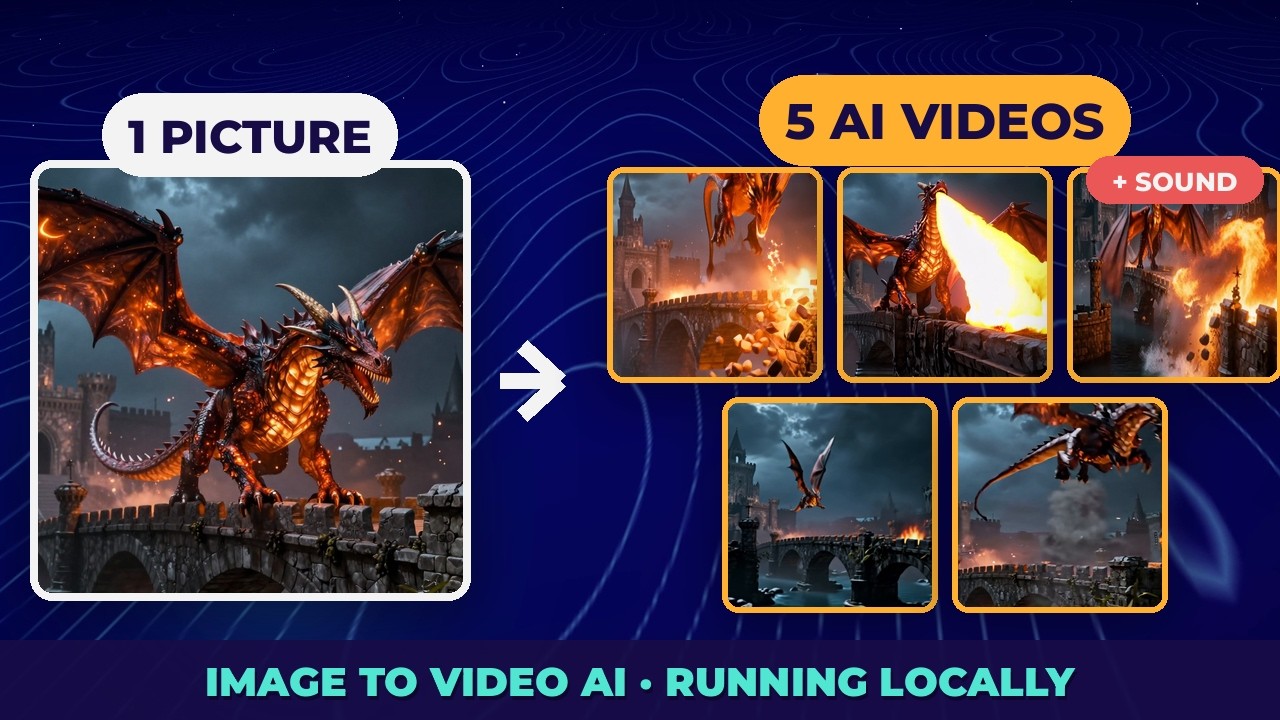
Short answer: Install Wan 2.2 14B first — it was the fastest, at under 2 minutes per clip, and worked straight away. Add MiniMax H3 if you need sound (it was the only model with an audio track), and Wan 2.2 5B for the biggest, most dramatic motion. Five models, the same three pictures and prompts, one attempt each, all run locally on one laptop.
The test
- Machine: RTX 5090 Laptop GPU (24 GB of video memory), 32 GB RAM, Windows 11. Nothing was tested on 8 GB cards.
- Rules: one finished clip per model per scene, no cherry-picked reruns, template defaults except two marked workarounds.
- Three scenes: a dancer mid-spin, a dirt-bike jump off a sand dune, and a dragon landing on a stone bridge — all 1280×720 pictures made in Promptus.
- Local only: credits were 3,061 before and 3,061 after all fifteen clips.
The results
Hunyuan 1.5’s third scene took 12.3 minutes because other work was using the processor at the same time. The stock Hunyuan 1.5 720p template didn’t produce a video within a 30-minute cutoff on two attempts.
Round winners
- Speed: Wan 2.2 14B. On the dragon it also followed the prompt most closely — fire, stones breaking off the bridge, and the take-off.
- Motion: Wan 2.2 5B. The dancer clip had the most movement of all fifteen, and the dirt-bike jump was the most dramatic shot in the test.
- Sound: MiniMax H3. The only model with audio — but also the most unpredictable; on the dancer, her silk dress stopped looking like fabric.
Why the biggest model was the fastest
Think of the model as a delivery truck. Its size matters less than how big each load is — the pixels and the number of frames — and how many trips it makes, which is the number of cleaning steps. Wan 2.2 14B makes a small square video with a 4-step speed-up: very little work, even for a big truck. Kandinsky 5 Video Lite is a small truck making 50 trips.
One more setting matters: CFG above 1 roughly doubles the work on every step. So if a video takes forever, don’t switch to a smaller model first — lower the resolution, shorten the clip and reduce the steps. That’s how Hunyuan 1.5 was rescued: the official step-distilled version at 480p, 12 steps and CFG 1 finished where the stock 720p template didn’t. (That one is a modified workflow, not a one-click template.)
Why every model ends somewhere different
Your picture becomes the first frame, and the first frame is locked — it’s the only one the model may not change. Every other frame starts as random static and is cleaned up step by step, guided by the first frame and your prompt, as Wan’s technical report describes. Nothing locks the last frame, so the models wander off in different directions. Describe the ending you want in the prompt, and compare videos by their last frame, not their first.
How to install them in Promptus
- Switch Promptus to local mode, or renders use credits.
- Open CosyTemplates and filter for Can Install Locally. Searching “image to video” showed 19 installable templates.
- If Install Locally is greyed out, click Server in the sidebar and start the ComfyUI server.
- Open the card’s menu and click Install Locally. When it finishes, the template moves to Available Locally.
Each model is a kit, not one file: a text encoder that reads your prompt, the main video model, and a VAE that unpacks the result to full size — sometimes with extras, like Wan 2.2 14B’s two speed-up LoRAs or MiniMax H3’s audio decoder. That’s why downloads ranged from about 5 to 32 GB. Install times here: Wan 2.2 14B about 32 GB and 15 minutes; Hunyuan 1.5 about 30 GB and 8 minutes; Wan 2.2 5B about 18 GB and 9 minutes; Kandinsky 5 Lite about 5 GB in under 3 minutes.
The 8 mistakes
The prompts
Every model got the same picture and the same video prompt. The dragon scene, for example: The dragon roars and breathes a torrent of fire along the bridge, stones crack and fall into the river, embers swirl through the air, it beats its wings and takes off as the camera pulls back to reveal the burning bridge. All three prompts are in the video description.
Related: ComfyUI for beginners, including Wan 2.2 image to video and MiniMax H3 in ComfyUI. Download Promptus to run them on your own PC.