3 Local AI Workflows: Outpainting, Illustration to Realism and Inflate
%20(2).avif)
%20transparent.avif)

3 Local AI Workflows: Outpainting, Illustration to Realism and Inflate
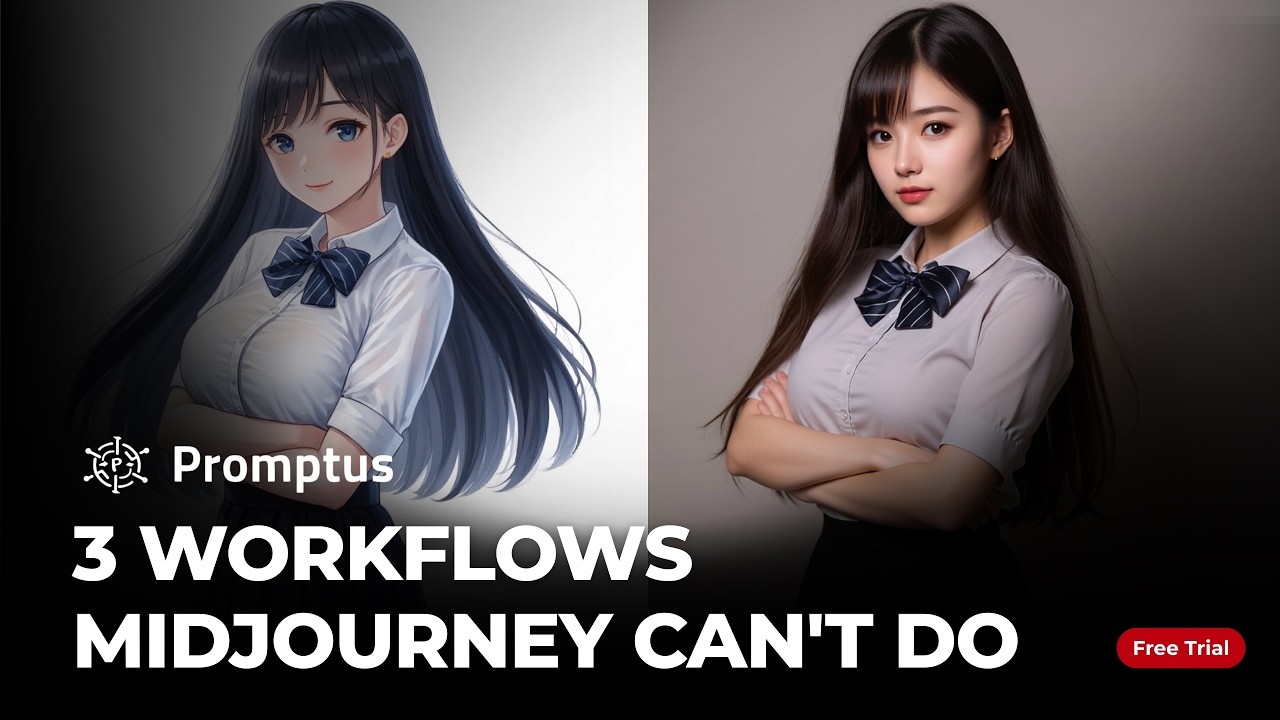
Short answer: Three ready-made CosyTemplates cover jobs a single prompt box can’t: Flux.1 Outpaint extends a picture to a new aspect ratio, Illustration to Realism turns a sketch or drawing into a photographic version with the same pose, and INFL8 inflates a chosen subject. All three ran locally on an RTX 4060 laptop, so every retry is free.
| Workflow | Model | Use it for | Try it |
|---|---|---|---|
| Flux.1 Outpaint | Flux.1 | Extending a square render to 16:9 or other formats | Open template |
| Illustration to Realism | Qwen Image Edit 2509 | Turning concept art into a photographic version | Open template |
| Image Inflation Effect | INFL8 LoRA for Qwen Image Edit | Exploring exaggerated volume and glossy materials | Open template |
1. Flux outpainting: fix the frame after the fact
You have a character render you love, but the client needs a 16:9 banner and you only have a square. Outpainting uses the model’s sense of space to extend the scene while keeping the original subject, so one asset can be re-cut for YouTube, Instagram and the web without re-rendering it.
2. Illustration to realism
A rough storyboard or 2D sketch is hard for a client to picture as a finished photo. The Qwen Image Edit workflow does a one-to-one style translation: unlike ordinary image to image, it keeps the original pose, composition and silhouette, and changes only the look. Upload the illustration and generate the realistic version.
3. Inflate: push materials past reality
Think avant-garde puffer jackets or high-gloss vinyl. Doing that in 3D means cloth simulation; here you upload an image, name the subject, and the INFL8 LoRA makes it look inflated. Adjusting the LoRA weight changes how far the volume and surface tension are pushed.
Why run them locally
On a per-render cloud service, every failed attempt costs a credit — you pay most when you experiment most. Locally, you can run 100 outpainting variations to find the right light, or iterate on a material 50 times, at no extra cost, and your files stay on your machine.
Hardware
- Shown running on an RTX 4060 laptop GPU.
- The video description lists an NVIDIA GPU with 12 GB of VRAM as the minimum for these workflows and 32 GB of RAM as recommended, so expect tighter limits on 8 GB cards.
- Windows 10/11 or macOS on Apple Silicon.
More multi-step workflows: eight character angles from one reference and three ways to keep a character consistent. Download Promptus.