%20(2).avif)
%20transparent.avif)

Same Face, Every Shot: 3 Ways to Keep an AI Character Consistent, Tested
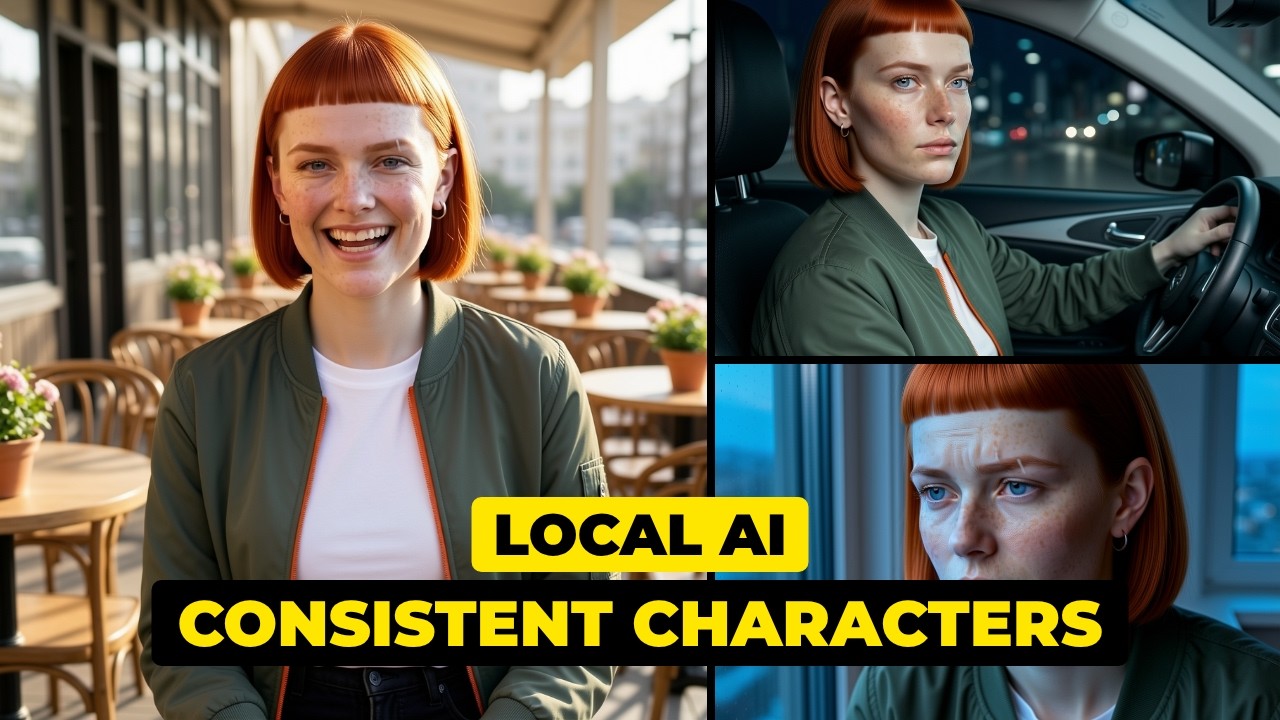
Short answer: One good reference photo won. Over the same 20 shots with the same seeds, the prompt alone scored a median face match of 0.53, one reference photo 0.78, and a quick 250-step LoRA 0.52. The photo also got her scar right in 18 of 19 shots. A LoRA earns its place for a character you’ll use for months — but a quick one is not better than a photo.
Why one word moves her face
The test started with a surprise. Seed 777, Juno in a kitchen. Same seed, same description, only kitchen changed to street — and her face scored 0.644 against the kitchen picture. Brand-new seeds score between 0.62 and 0.67. One word moved her face as far as a whole new seed.
Why: every AI picture starts as random static, and the seed decides exactly which static. The model then repaints it step by step — and your words steer every single step. Change one word and it makes different choices from the very first stroke, including the face. (Same seed and the exact same prompt, run twice, gave identical pictures, pixel for pixel. The randomness isn’t the problem; the words are.)
The fair test
- The same 20 shots at every level, the same seeds, one try each — so the bad faces stay in.
- Every picture scored against her reference photo with OpenCV’s SFace model; 0.363 or above counts as the same person, and a shot with no face found scores 0.
- Hair, scar, earring and jacket checked by eye, counting only shots where the feature is visible.
- Her reference photo is the only retouched image. Nothing in the test was retouched.
The results
Level 1: the prompt
One description — red bob, freckles, a scar through her left eyebrow, one silver earring, green jacket — pasted into every shot. No setup. The bob and the jacket held every time, but the scar and the single earring never appeared.
Level 2: one reference photo
FLUX.2 [klein] 4B takes reference images, and its licence allows commercial use. Load her one approved photo into the workflow and run the same 20 shots. The median jumped from 0.53 to 0.78 and the scar came back — but she still mostly got two earrings.
Level 3: a trained LoRA
Trained on 19 new pictures from level 2 plus her reference photo — never the test shots. Training took about 11 minutes for 250 steps in one run. The first attempt, trained in chunks that each continued from the last save, came out as texture with no face. The working one learned her jacket and colours, but her face scored no better than the prompt alone. A longer, stronger-tested LoRA is covered in train a LoRA for a consistent character.
Does her face survive in video?
Three Wan 2.2 clips made from level-3 pictures, scored every half second: median 0.47, with the lowest frame at 0.23 when she turns side-on. Face the camera again and she’s back above 0.5.
Which one should you use?
Whichever you use, check the details — scars, earrings and hands are where faces give themselves away. Everything here ran locally in Promptus on an RTX 5090 Laptop GPU. Promptus is a one-time licence with ComfyUI inside.
Models and licences
- FLUX.2 [klein] base 4B (Apache 2.0)
- Wan 2.2 14B image-to-video (Apache 2.0)
- OpenCV YuNet (MIT) and SFace (Apache 2.0)