%20(2).avif)
%20transparent.avif)

How to Make an AI Horror Short Film, Step by Step
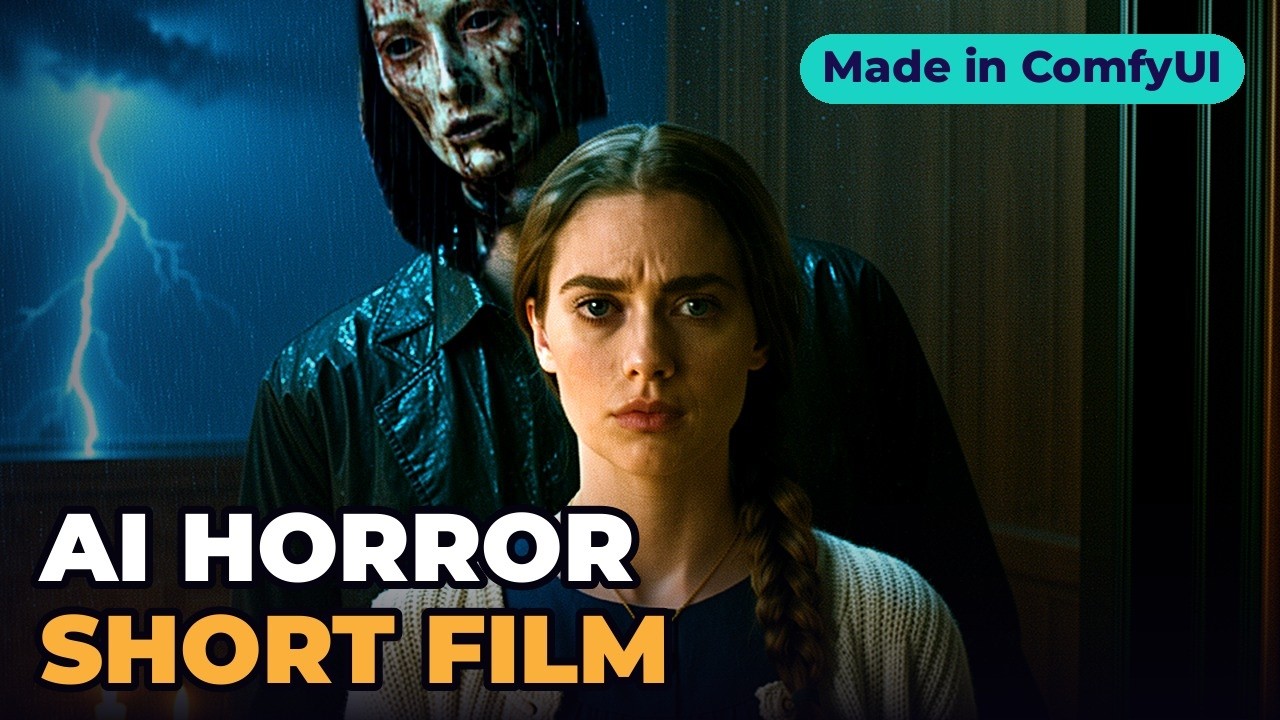
Short answer: Build the film on one rule, write your character once and reuse the description word for word, give the model a character sheet so the face never changes, animate stills by describing only the movement, then let sound — and silence — do the scaring. The Field was made this way entirely on one laptop: no actress, no farmhouse, no camera.
Watch the film first
The how-to
1. One rule for the story
Every time the lightning flashes, it’s closer. The figure in the field never moves once. Each appearance — far away, closer, in the room — is a single still picture on screen for a blink in a lightning flash. Your brain fills in the walk. One rule, no dialogue, one house and one woman: that’s what keeps a small film scary, because after the first flash the audience is just waiting for the next.
2. One character, every shot
Elena is written down once, precisely: green eyes, a dark braid over her left shoulder, a cream knitted cardigan, a tiny gold locket. That description goes into every shot she’s in, word for word.
- Make a character sheet — front, side, three-quarter, full body — with Z-Image Turbo in Promptus. Each picture takes seconds, so make lots and keep the best.
- AI doesn’t remember anybody; every picture starts from scratch. Ask six times for a woman with a dark braid and you get six women. So give the model the character sheet as a reference, and she comes back the same in the armchair, at the window and in the reflection.
- Check every keeper: same face, braid on the left.
- For the flash shots, make one picture of the empty window, then add the figure into that same picture — far away, then halfway. Any change to the room and the brain notices.
More on this: three ways to keep an AI character consistent.
3. Make it move — describe the motion only
Image to video ran in Promptus on the laptop’s own graphics card. Because the model can already see the picture, don’t describe it again — describe what moves. For one shot that was all: she lowers the book, her eyes find the window, the candle flickers. MiniMax H3 also made the sound in the same pass: the rain, the candle.
4. Spend your tries on the scare
The key shot: she walks to the window, presses her hand on the glass, lightning — the field is empty. You relax. Then her reflection, and behind her, in the room. That shot got the most attempts. Notice how little moves: a very slow push in, nothing else. In horror, stillness is often scarier than action.
5. Sound, and silence
Watch the ending muted and it’s just a woman and a candle. The score came from ACE-Step 1.5 running locally in Promptus, prompted for slow, dark orchestral horror: low tones, a detuned piano, rising strings, no vocals. Every flash gets a sharp hit. And the most frightening sound in the film is none at all: the candle goes out, silence, one breath.
6. The cut
- Each flash is only a few frames — long enough to see, too short to look properly.
- Keep the action in the middle of the frame and the same film crops straight to vertical for Shorts.
The recipe
| Step | What | Tool |
|---|---|---|
| Story | One rule: every flash, it’s closer | — |
| Character | One description, word for word, plus a character sheet | Z-Image Turbo, FLUX.2 Klein |
| Motion | Image to video, describe only the movement | MiniMax H3 (with native sound) |
| The scare | Most tries on one shot; keep it still | — |
| Score | Dark orchestral, detuned piano, no vocals; silence at the end | ACE-Step 1.5 |
| Edit | Flashes a few frames long; centred for vertical | Any editor |
Times were measured on an RTX 5090 Laptop GPU (24 GB). Elena and the figure are fictional. Try Promptus in your browser or download it for Windows or Mac.