%20(2).avif)
%20transparent.avif)

How to choose between RunComfy and Promptus
If you are moving beyond simple prompting tools like Midjourney and into the professional power of node-based generation, you have likely narrowed your search to two top contenders: RunComfy and Promptus.
At first glance, they look similar. Both give you access to industry-standard models like Flux, Wan, LTX, and SDXL. However, they are fundamentally different products built for different types of creators.
- RunComfy is a Cloud Rental Service. You pay a monthly fee for access to a powerful computer in a browser.
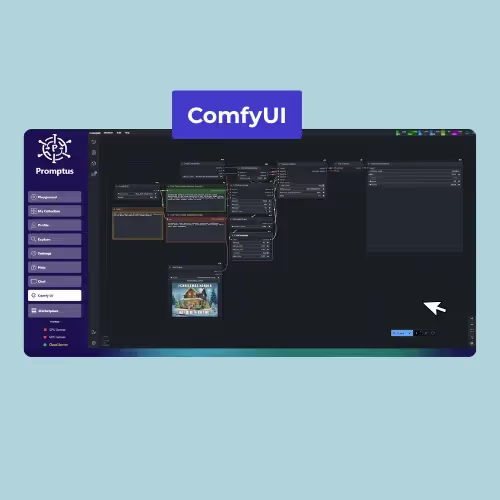
- Promptus is a Hybrid Creative Ecosystem. It offers both a Desktop App (for local hardware owners) and an Online Subscription (for cloud users), powered by the CosyFlows engine.
This guide breaks down the technical and financial tradeoffs so you can decide which architecture fits your studio.
What you will learn
- The difference between "Raw Node" and "CosyFlow" interface philosophies.
- How to calculate the long-term cost of renting vs. owning your compute.
- A decision framework for privacy, speed, and hardware requirements.
- Real-world scenarios where a hybrid workflow outperforms a pure cloud setup.

Nodes vs. CosyFlows
The most immediate difference is how you interact with the software.
RunComfy (The "Raw" Experience)
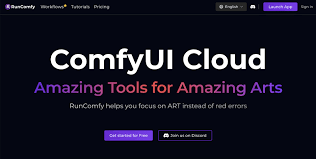
RunComfy provides a vanilla ComfyUI instance in your browser. It is powerful, but it is effectively an "empty box" that requires technical setup.
- The Interface: You see the raw node graph—wires, latents, KSamplers, and VAE decoders.
- The Workflow: To swap a face, you must locate the specific "Reactor" node, manually wire the image inputs, and ensure your checkpoint versions match the ControlNet preprocessors.
- Best For: Engineers and technical artists who want to build pipelines from scratch and need total granular control over every connection.
Promptus with ComfyUI (The "Cosy" Experience)
Promptus adds a "No-Code" abstraction layer called CosyFlows on top of the graph.
- The Interface: You interact with a clean form: "Upload Reference Image" → "Type Prompt" → "Generate."
- The Workflow: Under the hood, the system automatically wires the nodes. It handles resolution matching and VAE selection in the background, preventing common "tensor mismatch" errors.
- Best For: Creators, concept artists, and studios who need the output of ComfyUI without debugging Python code.
The Pricing Model
Most users underestimate the "bleed" of cloud subscriptions. Here is how the math works out over a year.
Option A: RunComfy
If you are on a Chromebook or an older Mac, cloud access is your only option.
- Model: You pay for Time.
- Cost: Typically $20–$100/month.
- The Catch: You are on a meter. If you leave the browser tab open while eating lunch, you may burn through your GPU hours. If you stop paying, you lose access to your environment.
Option B: Promptus
Promptus offers a choice based on your hardware.
- Desktop License ($49 Lifetime): You install the software on your Windows PC.
- Cost per Image: $0. You run it on your own GPU.
- Privacy: 100% Offline. Your NSFW art or NDA client work never leaves your building.
- Hybrid Power: If you need to render a heavy 4K video that your card can't handle, you can right-click and use CosyUI in the cloud using account credits, then return to local generation.
- Web Subscription: If you don't have a GPU, Promptus offers a web tier starting at ~$5/mo. Unlike RunComfy, you pay for generations (outcomes), not minutes (time).
Step-by-Step
Before you spend money, perform this simple audit to see if you actually need a cloud subscription.
1. Check your VRAM
Open Task Manager (Windows) or Activity Monitor (Mac).
- < 6GB VRAM: Your local machine will struggle with modern models like Flux. Verdict: Cloud (RunComfy or Promptus Web).
- 8GB - 12GB VRAM: You are in the "Sweet Spot." You can run SDXL and Flux locally with some optimizations. Verdict: Hybrid (Promptus Desktop).
- > 16GB VRAM: You have a powerhouse. Renting cloud GPUs is a waste of money for 95% of tasks. Verdict: Local (Promptus Desktop or Vanilla ComfyUI).
2. Calculate your "Idle Tax"
Estimate how much time you spend tweaking vs. rendering.
- If you spend 4 hours setting up a workflow and only 10 minutes generating final images, a "Pay-per-Hour" model (RunComfy) becomes very expensive because you are paying to think.
- In a local/hybrid model, "thinking time" is free.
Common mistakes and fixes
When choosing a platform, users often fall into these traps.
Decision Guide: Who needs what?
Choose RunComfy if:
- You are a Node Engineer who wants raw access to a Linux terminal.
- You need to rent an H100 GPU specifically for massive model training (LoRA/Fine-tuning).
- You have zero hardware (iPad only) and want the raw node experience.
Choose Promptus if:
- You are a Creator or Studio who wants the easiest path to visuals (CosyFlows).
- You have a decent GPU (RTX 3060 or better) and want to stop paying monthly rent.
- You want Flexible Pricing: Pay once for the desktop app, or a small subscription for web access.
Conclusion
RunComfy is a robust utility provider for those who need raw infrastructure on demand. Promptus is a complete creative studio designed for workflow continuity.
If you have the hardware, the most cost-effective path is usually the hybrid one: Download Promptus, pay the one-time license, and own your creative engine.
More information
- RunComfy Pricing Page: Check their official site for current hourly GPU rates.
- Promptus GPU Guide: Read thru the ComfyUI GPU guide in Promptus blog to compare local RTX cards vs. cloud A100s.
- ComfyUI GitHub: The
comfyanonymous/ComfyUIrepo is the source of truth for hardware requirements.
Last updated: January 2026. Updated with the latest pricing models for RunComfy and Promptus CosyUI.