%20(2).avif)
%20transparent.avif)

LTX 2.5 on Promptus: Every Workflow, Explained
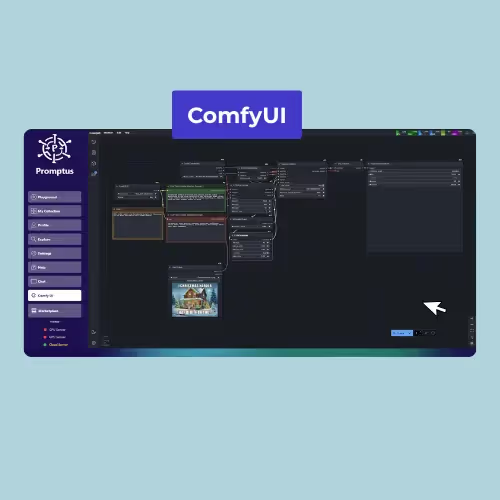
Quick answer: LTX 2.5 is Lightricks' text/image-to-video model with synchronized audio, available on Promptus as four CosyFlow templates — Text to Video, Image to Video, First/Last Frame to Video (FLF2V), and a two-stage distilled Text/Image to Video workflow with automatic 2× upscaling. All four need a CUDA GPU with 32GB+ VRAM and ~100GB of free disk space, or CosyCloud if your hardware doesn't meet that.
The four LTX 2.5 workflows on Promptus
Which one should you use?
If you're starting from a written idea with no reference image, and want audio generated with the video, use the Two-Stage Distilled workflow. If you just need a fast, single-pass video from a text prompt with no audio requirement, the plain Text to Video template is lighter-weight. If you're starting from an existing image, use Image to Video. If you have a start and end frame and want the model to animate the transition between them, use FLF2V.
Hardware requirements
All four LTX 2.5 workflows share the same baseline, per Lightricks' own official system requirements: a CUDA GPU with 32GB+ VRAM, 32GB system RAM, and about 100GB free disk space for the model files (64GB+ RAM and 200GB+ SSD recommended). If your machine doesn't meet that, use CosyCloud instead of troubleshooting a local run your hardware can't support.
Frequently asked questions
Do all four LTX 2.5 workflows generate audio?
No — only the Two-Stage Distilled Text/Image to Video workflow generates synchronized audio alongside the video. Text to Video, Image to Video, and FLF2V are video-only.
What's the difference between the distilled and non-distilled LTX 2.5 pipeline?
The distilled variant (used in the Two-Stage Distilled template) is built for fast iteration. A separate, non-distilled LTX 2.5 pipeline exists for cases where maximum fidelity matters more than speed.
Can I run LTX 2.5 without a 32GB+ VRAM GPU?
Yes, via CosyCloud — local execution genuinely requires 32GB+ VRAM per Lightricks' own requirements, so CosyCloud is the intended path if your hardware doesn't meet that.
For the full prompting guide, see LTX's own writeup: ltx.io/blog/prompting-guide-for-ltx-2.