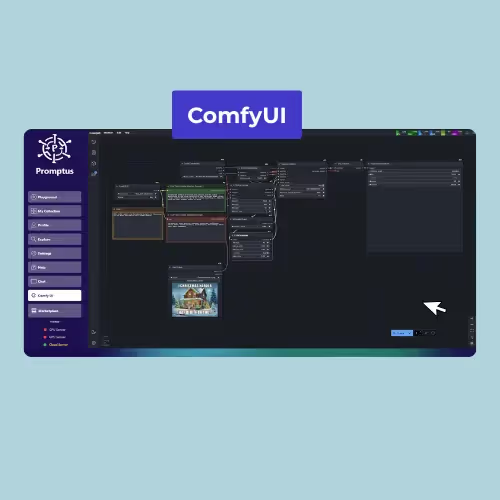
ComfyUI runs best on NVIDIA GPUs — AMD works (via ROCm) but is slower.
Quick answer: Yes, with caveats — 8GB cards work with FP8 precision and smaller workflows (e.g. 512×512 images), but not SDXL at full resolution. Promptus also supports CPU mode if you have no compatible GPU, though it runs 10–50x slower.
Struggling to pick the right GPU for ComfyUI? You’re not alone. More and more artists and video creators are moving offline with Promptus with ComfyUI — generating AI art, SDXL images, 3D with Hunyuan, or full videos with Wan2.2.
The biggest question? What GPU do you need for smooth ComfyUI workflows? This guide ranks GPU requirements for the top workflows (SDXL, Flux, Hunyuan, AnimateDiff, Upscalers), with clear advice for hobbyists and pros.
Why GPUs Matter for Local AI
Running ComfyUI locally means no cloud, no subscriptions, full privacy. But it also means your GPU carries the weight:
VRAM (Video Memory): The #1 bottleneck. Run out of VRAM, and you’ll hit “OOM errors.”
Sweet spot for pros: speed + stability for complex ComfyUI graphs in Promptus.
Pro / Future
RTX 5090 (Blackwell) / 24GB+
Top-tier for heavy video, large 3D, multi-model pipelines
VRAM: 24GB+
Best Res: 2048²+
Video: Long/High-res
Best for: Wan 2.x long runs, multi-ControlNet stacks, large 3D assets
Workflows: SDXL & Flux at 2K+, batch renders, advanced face/detailers
Tip: Use precision tuning (FP16→FP8) to scale batch sizes efficiently
Future-proof choice for studios and power users pushing ComfyUI to the limit.
Notes: VRAM needs vary by prompt, resolution, batch size, and nodes (ControlNet, LoRA, detailers). For the smoothest experience in Promptus, install the GPU server, enable Offline Mode, and select Cosyflows tuned for your VRAM.
Quick GPU Picks for 2025
Budget (<$400): RTX 3060 12GB — runs SDXL at 1024×1024, struggles with large video.
Mid-range ($600–900): RTX 4070 Super or 4070 Ti — good for Flux + larger canvases.
High-end ($1200+): RTX 4080/4090 — best for Hunyuan 3D, Wan2.x video, or large batches.
Future-proof: RTX 5090 (Blackwell) — early reports show +40% faster SDXL vs 4090.
Promptus GPU = Smooth Setup
Here’s the best part: you don’t need to manually install CUDA or manage dependencies. Promptus with ComfyUI bundles:
ComfyUI Manager: one-click install for GPU server & models.
Offline Mode: run everything local, private, no cloud.
Cosyflows: prebuilt workflows optimized for SDXL, Flux, Hunyuan, and video.
So once you’ve got the right GPU, you’re just a download away from generating images, videos, and 3D locally.
Summary
Does ComfyUI run locally?
✅ Yes. And with the right GPU + Promptus, it runs faster, smoother, and fully offline.
Hobbyists: RTX 3060 is your entry point.
Creators: RTX 4070/4080 = balance of price + performance.
Pros: RTX 4090/5090 crushes SDXL, Flux, Hunyuan, and AI video.
Yes, Promptus lets you run CPU mode, but it’s 10–50× slower.
Can 8GB cards work?
+
Yes, with FP8 precision and small workflows (e.g., 512×512 images), but not SDXL at full resolution.
Are AMD GPUs supported?
+
Yes, via ROCm on Linux, but performance is 20–30% lower than NVIDIA.
What’s the best GPU under $500 for ComfyUI?
+
The RTX 3060 12GB — it handles basic SDXL but is limited for video workflows.
Do I need more than 24GB of VRAM?
+
Only for advanced video or 3D pipelines with multi-model workflows.
Written by:
Duni
Duni is an Artificial Intelligence engineer at Promptus, specializing in AI workflow design. Duni builds and documents ComfyUI workflows that empower creators to push the boundaries of what’s possible with Promptus and ComfyUI.
%20(2).avif)
%20transparent.avif)