
%20(2).avif)
%20transparent.avif)

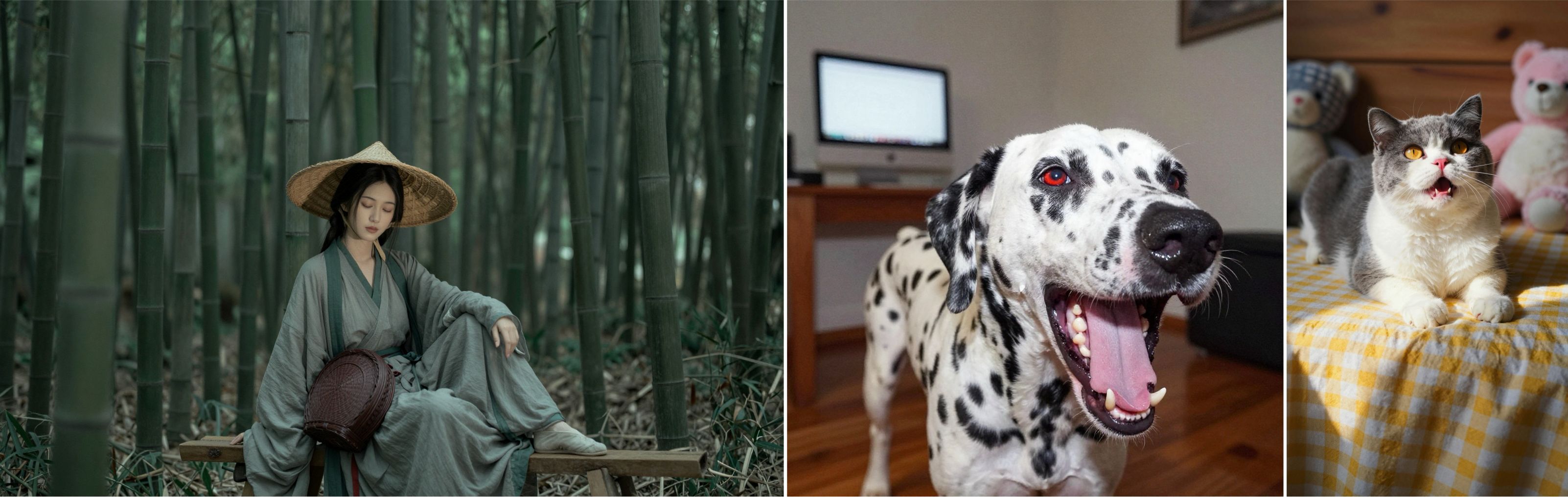
Zimage turbo from Alibaba is great a photorealistic images
When Alibaba’s team released Z-Image, it immediately shocked the open-source world. A 6-billion-parameter image-generation model that rivals 20B+ commercial systems?
Photorealism that beats FLUX, Qwen Image, and Stable Diffusion XL? Accurate bilingual text rendering, advanced world-knowledge, and ultra-fast inference — even on low-VRAM consumer GPUs? Z-Image quickly became the most talked-about model of early 2025.
For Promptus ComfyUI users, the excitement goes even further — because Promptus provides the smoothest, fastest, and easiest environment to run Z-Image workflows today.
Download the Zimage turbo workflow to use in Promptus with ComfyUI.
⭐ What Is Z-Image?
Z-Image is Alibaba’s efficient, high-fidelity image-generation foundation model built on a Single-Stream Diffusion Transformer (S³-DiT).
Unlike traditional diffusion models that use separate encoders, cross-attention blocks, and conditioning modules, Z-Image merges:
- text tokens
- image/semantic latents
- noise latents
…into one unified transformer sequence.
This design dramatically improves coherency, efficiency, and speed, allowing a 6B model to perform like a 20B+ model.
📌 Top Capabilities
- Photorealistic generation rivaling closed-source giants
- Accurate Chinese + English text rendering
- Fast inference: only 6–8 sampling steps
- Runs on 12–16GB VRAM (quantized versions even less)
- Near-perfect world knowledge — celebrities, anime characters, landmarks
- Strong adherence to prompts
- High consistency in style, identity, and pose
For ComfyUI users, this architecture means minimal latency, high detail, and stable results.
🔄 Z-Image Variants Used in Promptus
Promptus supports all publicly released variants:
| Model | Use Case | Inside Promptus |
|---|---|---|
| Z-Image-Turbo | Ultra-fast text-to-image | ⭐ Most popular; optimized workflows included |
| Z-Image-Base | Fine-tuning, training, research | For advanced users |
| Z-Image-Edit | Image editing / instruction following | Workflow templates ready for release |
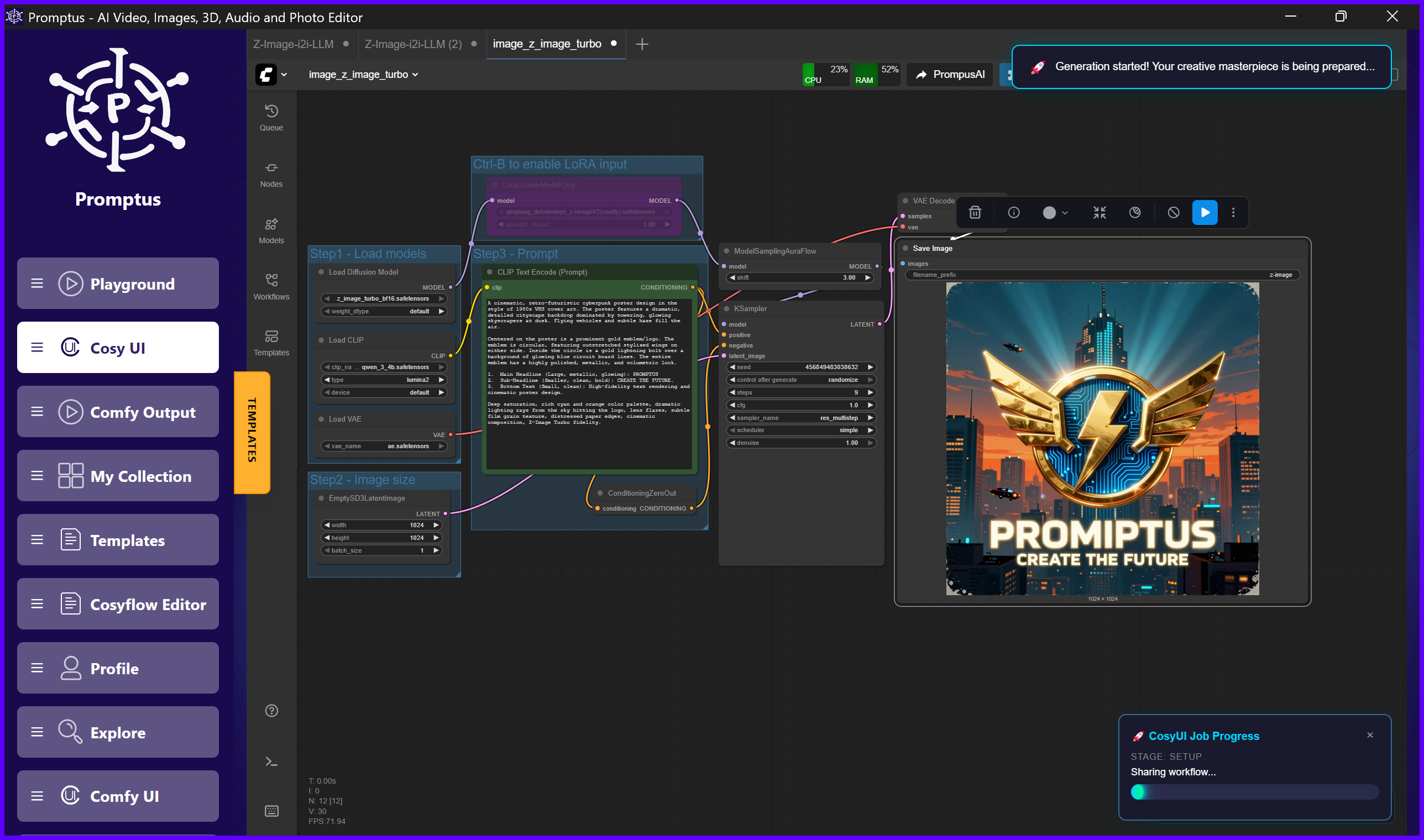
Promptus workflows auto-detect the chosen variant and adjust sampler steps, conditioning formats, and VAE settings automatically.
🚀 Why Promptus Users Prefer the Z-Image Workflow
ComfyUI is powerful — but it can be overwhelming.
Promptus removes friction by offering:
1. One-click Z-Image workflows
Promptus provides pre-built Z-Image templates:
- Z-Image Turbo Text-to-Image
- Z-Image Image-to-Image
- Z-Image with ControlNet
- Z-Image with LoRA Loader
- Z-Image VAE + Qwen-CLIP optimized graph
Users import a workflow, drop a prompt, and hit Generate.
2. Automatic model management
Promptus handles:
- downloading Z-Image model weights
- loading the correct VAE
- placing Qwen-3 4B CLIP encoders
- configuring memory-optimized sampler settings
- converting or caching GGUF models for low-VRAM users
No manual folder management. No broken graphs.
3. Real-time graph visualization
Users see the full diffusion pipeline in beautiful, clean node flow diagrams:
- UNet loader
- ModelSamplingAuraFlow
- CLIPTextEncode (positive + negative)
- VAEEncode & VAEDecode
- KSampler
- VQA modules and LoRA injection nodes
This gives the clarity of ComfyUI with the usability of a creative app.
4. Faster ZImage inference
Promptus uses:
- CUDA graph execution
- TensorRT acceleration (optional)
- optimized node scheduling
- zero-copy VAE passes
- auto-chunking for low-VRAM GPUs
This makes Z-Image even faster than running it in standalone ComfyUI.
5. Rich features for creators
Promptus enhances ZImage workflows with:
- batch jobs + queue
- prompt history
- seed browser
- version control for workflows
- embedded gallery
- compare mode
- cloud sync (optional)
📸 What Promptus Zimage Users Are Creating
Within hours of release, Promptus users began sharing:

Ultra-realistic portraits
Z-Image’s skin detail, lighting realism, and facial accuracy surpass SDXL and FLUX in nearly every test.
Character lineups + consistent styles
Promptus users reported that Zimage keeps character identity stable across:
- angles
- outfits
- expressions
- scenes
Something few open-source models can do.
Complex multi-subject scenes
Z-Image handles images with:
- crowds
- multiple characters
- multiple species
- intricate interactions
…and Promptus makes building these prompts easier with prompt templates and live token visualization.
Anime, stylized art, and watercolor
Z-Image produces natural brush strokes and hand-painted textures that look less "AI-clean" than other models.
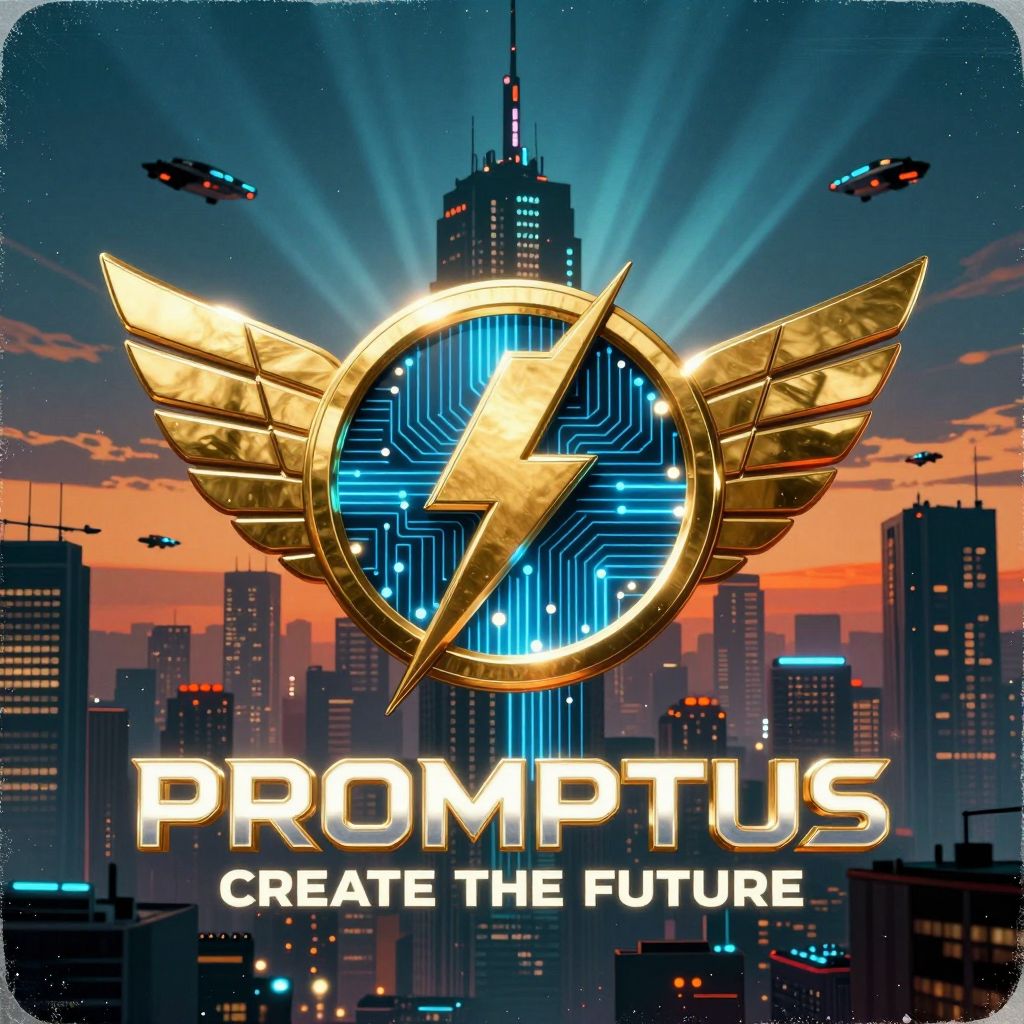
Poster design with bilingual text
Thanks to its exceptional multilingual rendering, Z-Image is becoming a favorite for:
- album covers
- posters
- ads
- social media graphics
Promptus’s text preview tools make this even smoother.
🧠 How the Z-Image Workflow Runs in Promptus
Here’s the typical node flow Promptus users run:
- Load Z-Image UNet
- Load Qwen-3 CLIP Encoder (positive/negative prompts)
- Load Z-Image VAE
- ImageScaleToTotalPixels (optional)
- VAE Encode (for img2img)
- ModelSamplingAuraFlow
- KSampler with:
- few-step sampling (usually 6-9)
- Euler / Simple scheduler
- 0–1.0 denoise flexibility
- VAE Decode
- Save/Preview Image
The entire workflow runs start to finish in 4–12 seconds depending on GPU.
Promptus keeps all nodes visually organized and labeled, making it easy for users to modify or expand the graph.
💡 Why Z-Image + Promptus Is a Game-Changer
For beginners
Promptus makes Z-Image as easy as:
Select workflow → Type prompt → Generate.
No installation gymnastics. No errors. No broken nodes.
For advanced ComfyUI users
Promptus allows:
- graph editing
- custom nodes
- LoRA merging
- GGUF optimization
- model swapping
- multi-workflow automation
- routing to cloud GPUs (optional)
For artists & designers
Promptus adds:
- prompt presets
- color grading tools
- diff layers
- masking
- variation seeds
- resolution presets
- history timeline
This turns Z-Image into a fully functional creative engine.
📝 Final Thoughts
Z-Image is not just another model release. It is a milestone in efficient diffusion architecture — delivering:
- commercial-grade realism
- low VRAM requirements
- bilingual precision
- strong world knowledge
- lightning-fast generation
For Promptus ComfyUI users, Zimage becomes even more powerful:
- faster
- easier
- more stable
- more flexible
- more creative