%20(2).avif)
%20transparent.avif)

Learn how to set up Qwen TTS3 locally on your PC
Qwen3-TTS is the latest generation of open-source text-to-speech models from the Qwen team at Alibaba Cloud, released in January 2026. It is designed for ultra-low latency, high expressivity, and flexible control through natural language.
How Qwen3-TTS Works
Unlike traditional models that use a separate diffusion stage, Qwen3-TTS treats speech synthesis as a language modeling task, similar to how text models predict the next word.
- Dual-Track Architecture: It uses a dual-track hybrid architecture that supports both streaming and non-streaming generation.
- Speech Tokenization: The system compresses audio into discrete units (tokens) using two specialized tokenizers:
- 25Hz Tokenizer: Captures high temporal resolution and acoustic detail, prioritizing quality.
- 12Hz Tokenizer: Achieves extreme compression and ultra-low latency, enabling immediate "first-packet" audio output.
- Discrete Multi-Codebook LM: By modeling speech tokens directly in an end-to-end architecture, it bypasses the information bottlenecks found in older "LM + Diffusion" schemes.
What Makes it Unique
Qwen3-TTS stands out for its high degree of controllability and its speed on consumer-grade hardware.
| Feature | Description |
|---|---|
| Ultra-Low Latency | Can begin playing audio just 97ms after receiving a single character of input. |
| Natural Voice Design | Allows you to create new voices using natural language descriptions like "whispering," "elderly person," or "radio presenter". |
| 3-Second Cloning | Can clone a target voice with as little as 3 seconds of reference audio. |
| Multilingual Support | Supports 10 major languages (Chinese, English, Japanese, Korean, German, French, Russian, Portuguese, Spanish, and Italian) and multiple dialects. |
| Long-Form Stability | Capable of synthesizing over 10 minutes of consistent, fluent speech in a single session. |
Local & Open Source Setup (Promptus)
You can run Qwen3-TTS entirely offline using the Promptus desktop application. This ensures your audio data stays private and avoids per-minute credit costs.
1. Initial Setup
- Requirements: A local machine with an NVIDIA GPU (CUDA) is recommended for speed, though CPU mode is also supported (at slower speeds).
- Open Promptus Manager: In the Promptus app, go to Profile → Open Manager.
2. Install the Server & Workflow
- ComfyUI Server: In the Manager, click Install → ComfyUI Server. This is the backbone needed to run the local workflows.
- Download Qwen3-TTS: Go to the CosyFlows section in the Promptus application. Search for "Qwen" and select the Qwen3-TTS workflow (e.g., Custom Voice, Voice Clone, or Voice Design) and click Download/Install.
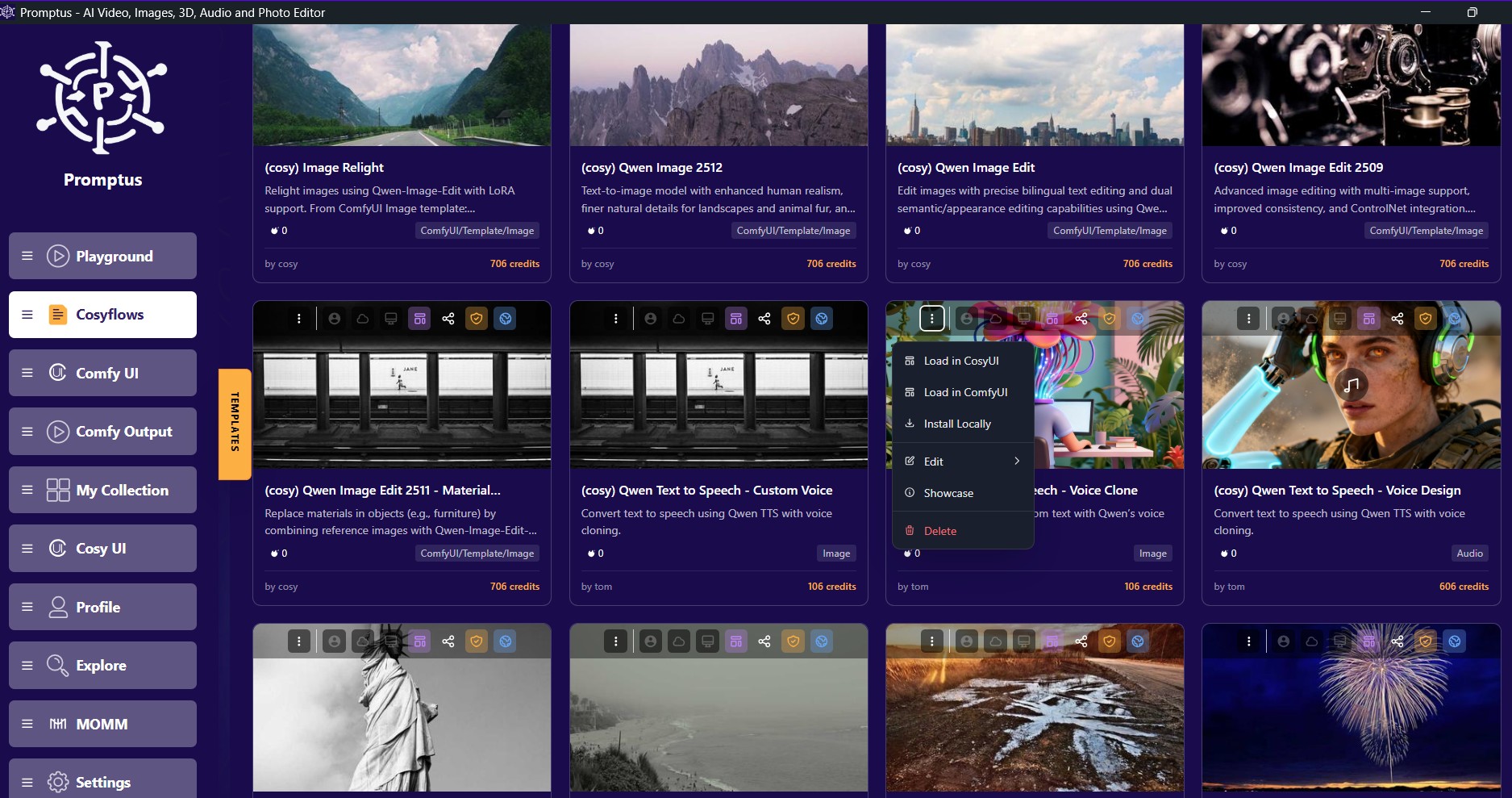
3. Run Offline
- Launch Workflow: Return to the main Promptus app and head to the CosyFlows tab.
- Select Run Mode: Click the icon in the top right and choose Install Locally or Run Offline.
- Generate: Once the local server starts, enter your text and settings (language, voice type, etc.) and click Generate.
Note: On the first run, the app will automatically download the necessary model weights (0.6B or 1.7B) from Hugging Face.