%20(2).avif)
%20transparent.avif)

Kling API services require authentication. Promptus supports two primary methods.
Promptus with ComfyUI makes advanced AI video generation accessible to studios and creators by offering a no-code interface for powerful text-to-video workflows. In this guide, you'll learn how to integrate Kling API nodes into your creative pipeline using Promptus—the platform that transforms complex AI workflows into simple drag-and-drop experiences.
🎬 Whether you're using the Promptus Web interface or the Promptus Desktop App, you'll be able to leverage Kling's video generation capabilities through an intuitive, visual workflow builder.

🛠️ Getting Started With Promptus
Before diving into Kling API nodes, sign up at promptus.ai.
- Promptus Web: Browser-based for instant access.
- Promptus Desktop App: Download for enhanced performance and local GPU power.
Promptus gives you access to a full-stack creative infrastructure supporting images, video, 3D, and audio generation—all without writing a single line of code.
📦 Step 1: Installing Kling Nodes Through ComfyUI Manager
Promptus features built-in access to the ComfyUI Manager, making node installation seamless:
- Launch ComfyUI Manager: Open Promptus and click the Manager button.
- Navigate to Custom Nodes: Select "Install Custom Nodes" from the menu.
- Search for Kling Integration: Type "Kling" or "ComfyUI-KLingAI-API" into the search bar.
- Install the Package: Click Install next to the desired package.
- Restart Promptus: Click Restart to reload the interface and activate the new nodes.
Note: This entire process happens through a visual interface—no command line required!
🔑 Step 2: Configuring Your Kling API Credentials
Kling API services require authentication. Promptus supports two primary methods:
🔹 Method A: Official ComfyUI API Nodes
- Create Your Account: Visit the Comfy platform to purchase generation credits.
- Generate API Key: Create a new key in your account settings.
- Connect to Promptus: Go to Settings > User Settings in Promptus and enter your key.
🔹 Method B: Direct Kling AI API Integration
- Obtain Kling Key: Generate an authentication key via the Kling AI portal.
- Configure Authentication: Paste the key into a dedicated Client Node or store it in your local config file.
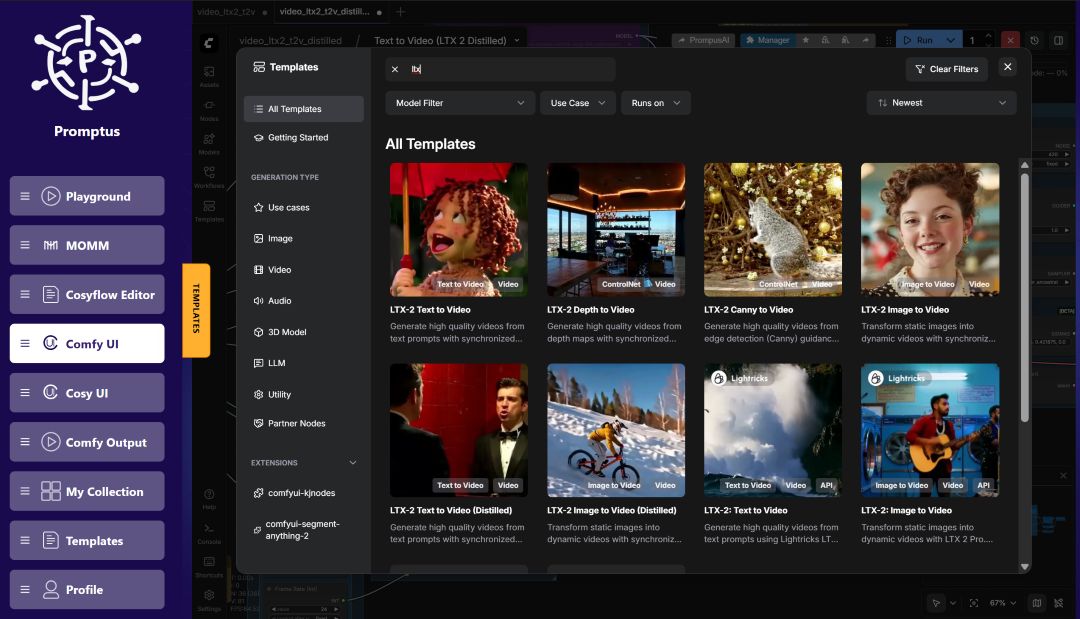
✨ Step 3: Building Your First Text-To-Video Workflow
Use the CosyFlows visual builder to construct your pipeline:
- Add The Kling Video Node: Right-click the canvas, navigate to Video API, and select the "Kling Text to Video" node.
- Configure Authentication: Connect your Client Node to the Kling node’s input.
- Set Up Your Text Prompt: Add a CLIPTextEncode node. Example: "A futuristic cyberpunk car driving through a neon-lit city street at night."
- Adjust Parameters: Fine-tune the CFG Scale, Duration, and Negative Prompts directly on the node.
- Add Output Nodes: Connect to a Preview Video or Save Video node.
- Execute: Click Queue Prompt to start generating!
🌟 Why Use Promptus?
What makes Promptus the fastest route to hybrid AI pipelines?
- Hybrid Superpower: Process on your Local GPU for privacy or use the Cloud GPU Marketplace for heavy lifting.
- Ownership: Move away from forced subscriptions with Lifetime License options.
- Community Approved: Boasting a 96% to 99% User Positivity rating, it is the most-loved platform for creative AI.
- Versatility: Unlike Runway or Adobe, Promptus is an open ecosystem supporting Flux, Sora, Gemini Flash, and Hunyuan3D.
💡 Pro Tips & Troubleshooting
Optimization Tips
- Start Simple: Master basic workflows before adding complex node chains.
- Prompt Engineering: Be descriptive with lighting, movement, and style.
- Save Templates: Use CosyFlows to save your best setups for future use.
Common Fixes
- Node Not Appearing? Always restart Promptus after a new installation.
- Authentication Error? Verify your API key and credit balance.
- Slow Processing? Try shorter durations for testing before final exports.
🎨 Expanding Your Creative Capabilities
Once you've mastered Kling, you can build multimodal pipelines that combine:
- Image-to-Video: Use an AI-generated image as a starting frame.
- 3D Integration: Sync video rendering with 3D model creation.
- Refinement: Progressively enhance quality through multi-stage workflows.
Ready to start? Visit promptus.ai and join the community of creators transforming the future of AI production! 🎞️