%20(2).avif)
%20transparent.avif)

Confused by ComfyUI installs? Use Promptus to set up SDXL, Hunyuan, and Flux. Discover the best ComfyUI workflows for images, video, and 3D offline.
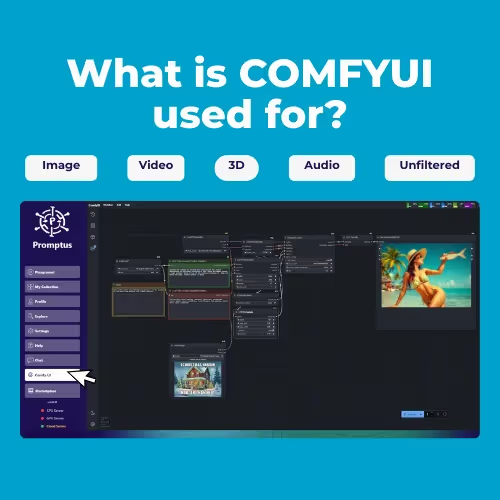
Quick answer: ComfyUI is a node-based, workflow-driven engine for generating AI images, video, and even 3D content, letting you visually chain together models and processing steps. Promptus packages ComfyUI with a one-click install so you don't have to set it up manually.
If you’ve been asking “What is ComfyUI used for?” — you’re not alone. ComfyUI has become one of the most powerful tools for AI creators, powering everything from image generation to AI video and even 3D. But here’s the thing: while ComfyUI is amazing, setting it up by yourself can feel overwhelming.
That’s why most creators today use Promptus with ComfyUI — the easiest way to install, manage, and run it.
👉 Watch the full breakdown in the video below:
What Is ComfyUI Used For?
At its core, ComfyUI is a workflow-based creative engine for AI media. That means it lets you:
- Generate images from text
- Edit with inpainting or outpainting
- Upscale to sharper detail
- Animate with tools like AnimateDiff and Wan 2.x
- Even explore AI-powered video and 3D
But instead of clicking one button, ComfyUI gives you full control through workflows.
🧩 What Are ComfyUI Workflows?
Think of a workflow like a:
- Recipe → each node is an ingredient, and when combined, you “bake” a final output.
- Lego build → nodes snap together, and the order determines what you create.
- Photoshop filters → stacked and layered, each effect adds something new.
That’s why workflows are what ComfyUI is most popular for — they give you flexibility, but also open the door to powerful ready-made creations.
🔗 See popular ComfyUI workflows here.
The Most Popular ComfyUI Workflows
Here are the ones creators use most often:
- ComfyUI SDXL → for high-quality text-to-image generation.
- Install Hunyuan ComfyUI → for advanced image + 3D workflows.
- Install Flux → cutting-edge models with detailed results.
- AnimateDiff / Wan 2.2 → for AI video generation.
- Upscalers → sharpen and refine images.
- Inpainting / Outpainting → edit parts of an image or expand the canvas.
These workflows are the “toolbox” of AI creators — and with Promptus, you don’t need to wire them manually.
How to Get Started
- Download Promptus.
- Go to Profile → Open ComfyUI Manager.
- Click Install for the GPU server.
- Choose a workflow from Cosyflows (prebuilt, best ComfyUI workflows).
- Hit Generate — and watch it run.
✅ Why Use Promptus with ComfyUI?
- Offline and local — run everything privately on your PC.
- Unlimited generations — no subscription limits.
- Best ComfyUI workflows prebuilt — no wiring nodes manually.
- Easy model installs — SDXL, Flux, Hunyuan, and more.
- Download ComfyUI once — all updates handled for you.
That’s why Promptus with ComfyUI has become the #1 way creators worldwide are using ComfyUI today.
Final Thoughts
So, what is ComfyUI used for?
It’s the engine for AI creation — powering images, edits, video, and 3D. And the easiest way to unlock it is with Promptus, where setup takes minutes, not hours.
✨ Whether you want to install Hunyuan ComfyUI, run ComfyUI SDXL, try Flux, or just explore the best ComfyUI workflows — Promptus is the way to go.
👉 Download Promptus with ComfyUI here.