%20(2).avif)
%20transparent.avif)

Speed Up Your ComfyUI Workflow
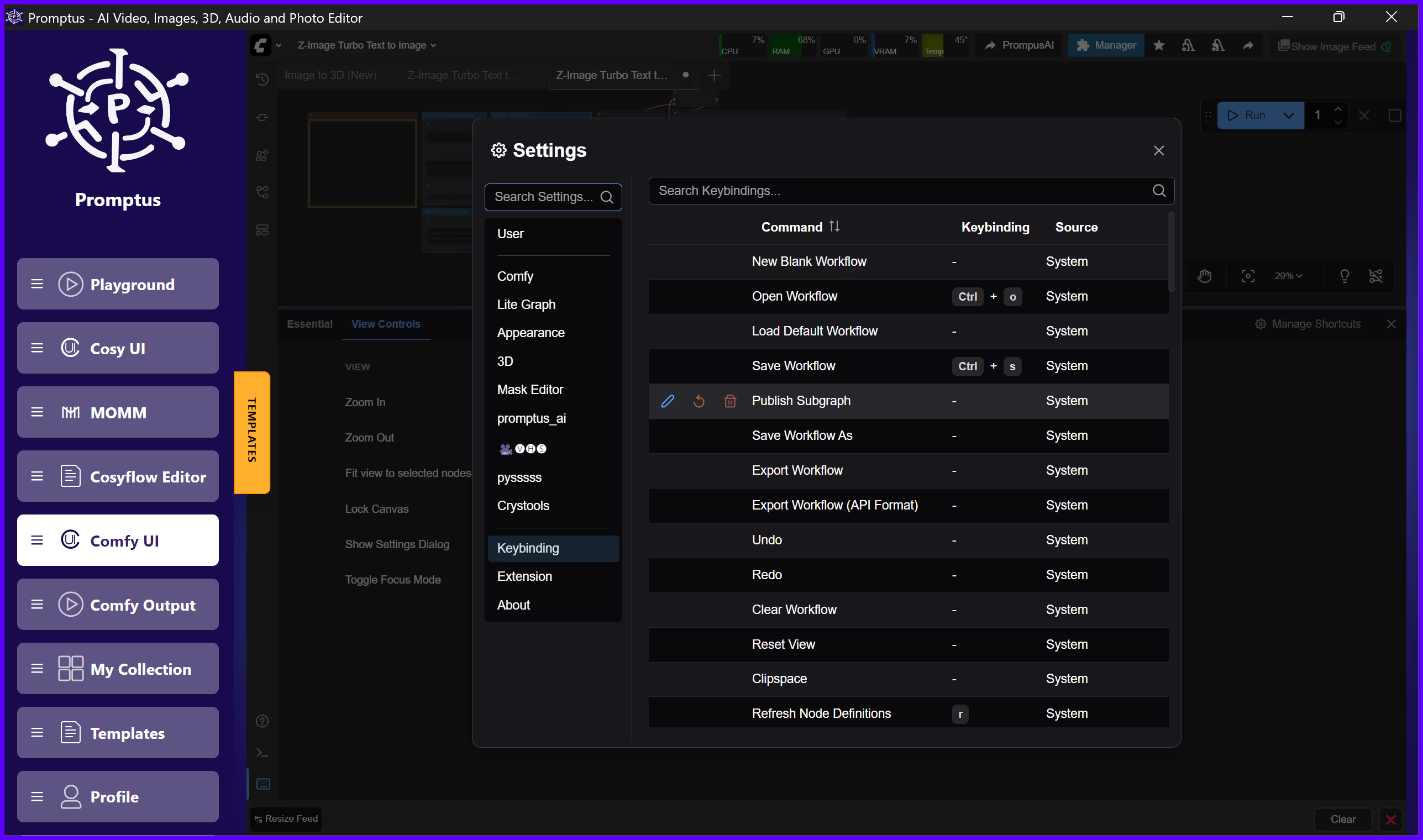
Quick answer: In Promptus with ComfyUI, keyboard shortcuts let you queue, cancel, and manage generations without reaching for the mouse — speeding up iteration when you're running many prompt variations back to back. Mastering these shortcuts is one of the fastest ways to speed up a repetitive generation workflow for studios or solo creators.
If you're working with Promptus with ComfyUI—the no-code visual interface that makes advanced AI workflows accessible to studios and solo creators—mastering keyboard shortcuts will dramatically speed up your creative process. Whether you're generating images with Stable Diffusion, creating videos with Flux, or building complex multi-modal pipelines, knowing how to queue your workflows efficiently is essential for any Promptus user. ⚡
Understanding Queue Hotkeys in Promptus
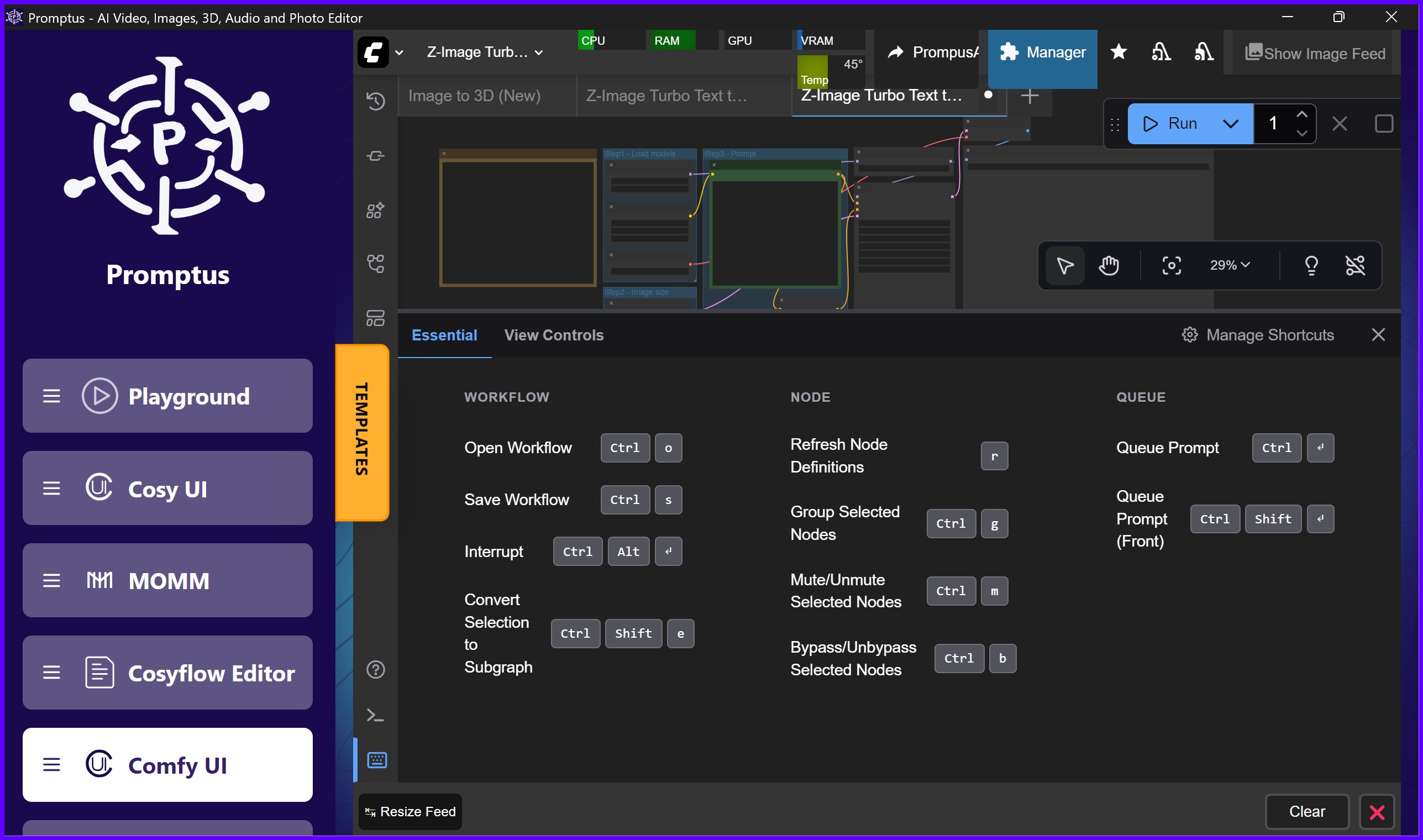
When you're building visual workflows in Promptus using CosyFlows, the drag-and-drop workflow builder, you'll frequently need to send your creations to the generation queue. Here's how to do it instantly with keyboard shortcuts:
Ctrl + Enter: Your Go-To Queue Command
This is the primary shortcut you'll use dozens of times per session. Simply press Ctrl + Enter to add your current workflow to the generation queue. Your prompt will be processed in order, whether you're running it on your local GPU or leveraging the Promptus GPU Marketplace to save on processing costs. 🚀
Ctrl + Shift + Enter: Priority Queue Access
Need to generate something urgently? Press Ctrl + Shift + Enter to queue your workflow and move it to the very front of the line. This is particularly useful when you're iterating quickly on client work or need to test a specific variation immediately. 🎯
Q: Toggle Your Queue Panel
Press the Q key to show or hide the queue panel. This simple toggle helps you maximize your workspace when building complex workflows, then quickly check progress when needed.
Customizing Your Shortcuts in Promptus
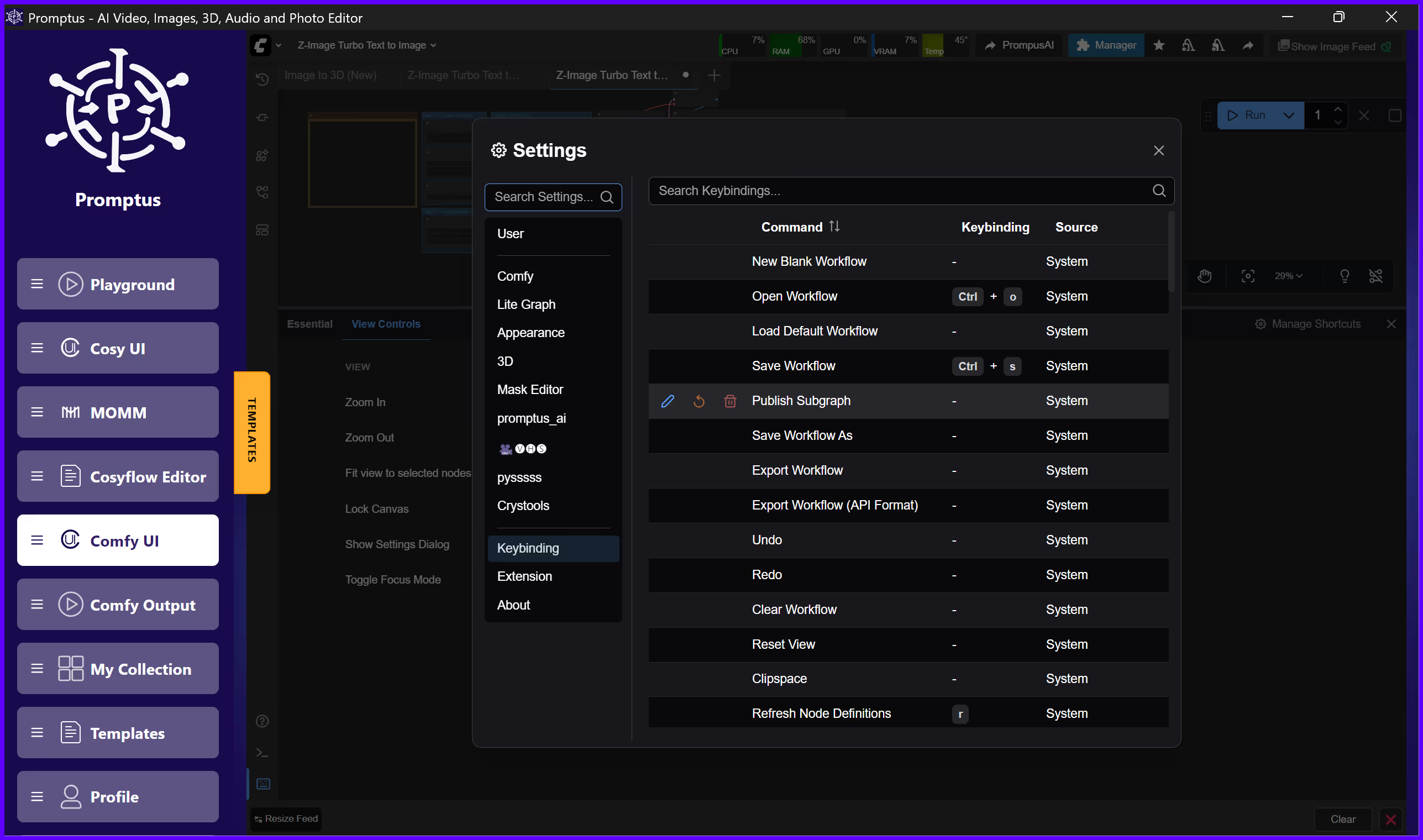
Every creator works differently. Promptus recognizes this by letting you customize these shortcuts to match your personal workflow. Navigate to Settings (the gear icon) and select Keybinding to remap any shortcut to your preference. 🔧
Getting Started with Promptus
Ready to experience the full-stack creative infrastructure that's earning 96 percent user positivity?
Try Promptus Web for instant browser-based access or Promptus App for desktop power.
Unlike expensive subscription-only platforms like Adobe and Runway, Promptus offers affordable pricing and lifetime license options, giving you access to hundreds of AI models including Gemini Flash, Stable Diffusion, Flux, Sora, Seedream, and Hunyuan3D—all within one unified Creative OS. 💡
Mastering these simple keyboard shortcuts transforms Promptus from a powerful tool into an extension of your creative thinking.
The fastest route from zero to hybrid ComfyUI pipelines starts with efficient workflow management, and these hotkeys are your first step toward production-level speed. Whether you're a solo creator or managing an entire studio pipeline, Promptus delivers the hybrid local and cloud flexibility you need without the subscription burden of incumbent platforms.