
%20(2).avif)
%20transparent.avif)

How To Enhance Your Images Using ControlNet Auxiliary Preprocessors in Promptus
Transform your creative workflow with Promptus with ComfyUI, the most-loved Creative OS that makes advanced AI accessible to studios and solo creators alike.
In this guide, you'll learn how to use ControlNet auxiliary preprocessors to dramatically enhance your images by extracting structural information that guides AI models to generate highly controlled, detailed outputs. Whether you're upscaling for client work or refining compositional details, Promptus gives you the hybrid local and cloud power to execute professional-grade image enhancement workflows without writing a single line of code. 🎨
What Are ControlNet Auxiliary Preprocessors?
ControlNet auxiliary preprocessors are specialized tools that convert your source image into "hint maps"—visual guides like depth maps, edge maps, or pose skeletons that tell the AI exactly how to structure your output. When integrated into your Promptus workflow, these preprocessors enable you to:
- Upscale and add high-frequency detail while preserving your original composition
- Extract structural information from low-resolution images to generate high-resolution versions with identical layouts but enhanced styling
- Maintain precise control over perspective, lighting, and edges throughout the generation process
This process is particularly powerful in Promptus because you can leverage local GPUs for sensitive client work or tap into the Promptus GPU Marketplace to save costs on compute-intensive enhancement tasks.
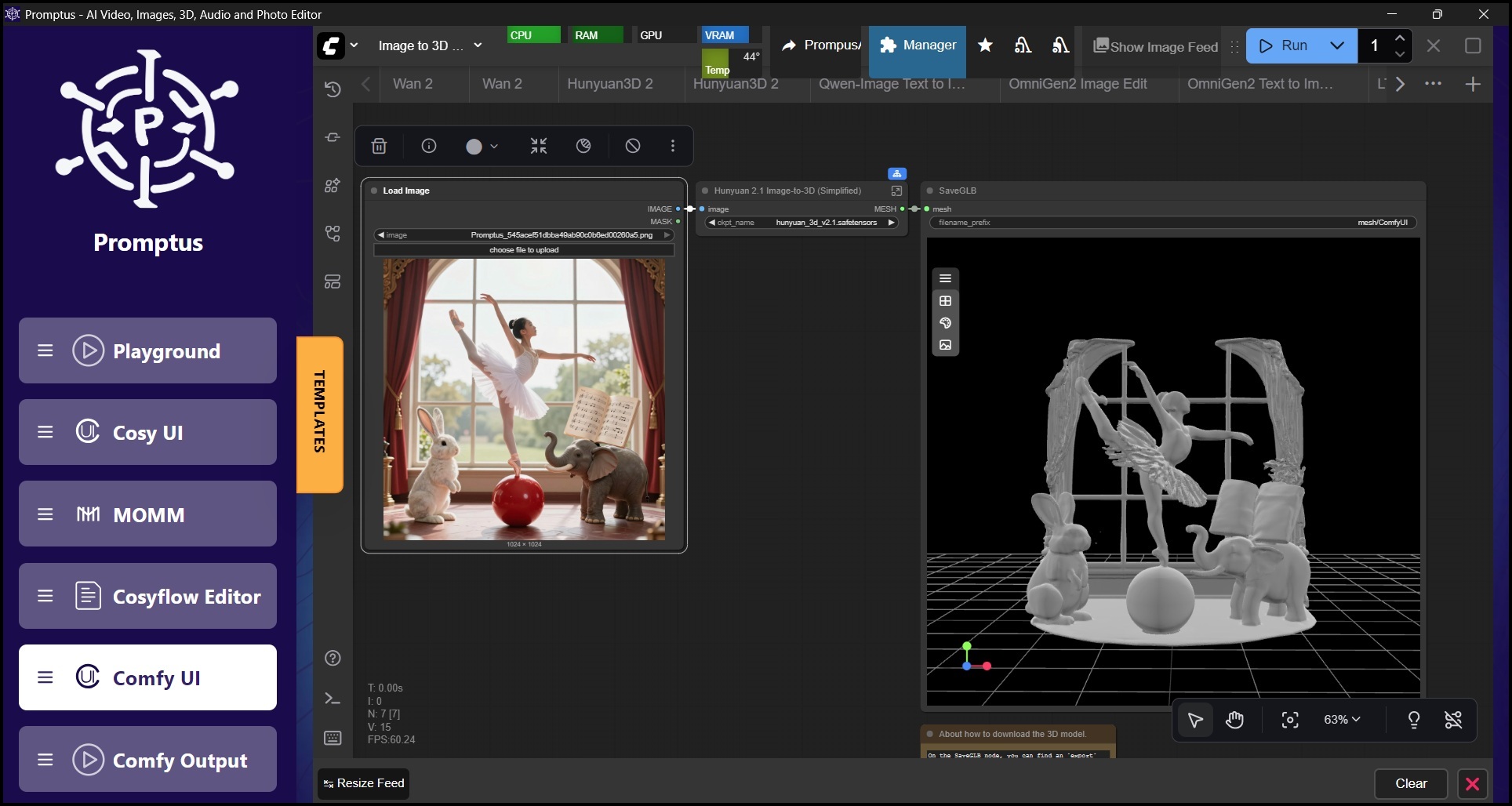
Setup And Preparation
Before building your enhancement workflow, ensure you have the necessary components:
- ComfyUI Manager: Promptus includes integrated manager functionality to help you easily install and organize custom nodes through its intuitive no-code interface
- Comfyui_controlnet_aux Custom Node: This extension provides the auxiliary preprocessors you need. Within Promptus, you can install it by searching for "ComfyUI's ControlNet Auxiliary Preprocessors" in the node library
- ControlNet Models: Download the corresponding ControlNet model for your chosen preprocessor (such as the Canny model for the Canny preprocessor). Promptus automatically organizes these in your models/controlnet folder, whether you're working locally or in the cloud
If you haven't already, login at Promptus Web or download the Promptus App for desktop. Both versions give you full access to CosyFlows, Promptus's visual, drag-and-drop workflow builder that turns complex ComfyUI pipelines into intuitive creative processes. ✨
Building Your Enhancement Workflow With CosyFlows
Promptus's CosyFlows interface makes it simple to construct sophisticated image enhancement pipelines. Here's how to build a typical workflow:
Load Your Source Image
Start by adding a Load Image node in your CosyFlows canvas. Upload the image you want to enhance by dragging it directly into the workspace or browsing your files.
Apply The Preprocessor
Add a preprocessor node from the ControlNet Aux category. The AIO Aux Preprocessor node is particularly useful because it provides a dropdown menu with multiple preprocessor options, letting you experiment without rebuilding your workflow.
Connect the IMAGE output from your Load Image node to the image input of the preprocessor. In Promptus, these connections are visual and intuitive—simply drag from one node's output port to another's input port.
Load Your ControlNet Model
Add a Load ControlNet Model node and select the model that matches your preprocessor. For example, if you're using the Tile preprocessor for upscaling, select a tile-compatible ControlNet model from your library.
Promptus supports hundreds of AI models across multiple modalities, including Stable Diffusion, Flux, and many specialized ControlNet variants, giving you flexibility that single-purpose tools like Midjourney simply can't match.
Apply ControlNet To Your Workflow
Add an Apply ControlNet node (or Apply Advanced ControlNet for additional parameters). Make these connections:
- CONTROL_NET output from your Load ControlNet Model to the control_net input
- IMAGE output (the hint map) from your preprocessor to the image input
- Your standard Positive and Negative Conditioning to the node's conditioning inputs
The strength parameter is crucial here. It controls how much influence the ControlNet exerts over the final output. For enhancement and upscaling work, values between 0.6 and 1.0 typically produce the best results. Promptus's real-time parameter adjustments let you fine-tune this value without restarting your entire generation. 🎯
Configure Sampling And Output
Connect the conditioned outputs from your Apply ControlNet node to a KSampler node, then add VAE Decode and Save Image nodes to generate and export your enhanced image.
This is where Promptus's hybrid infrastructure shines: process quick iterations locally for immediate feedback, then switch to cloud GPUs from the Promptus Marketplace for final high-resolution renders—all within the same workflow.
Choosing The Right Preprocessor For Your Enhancement Goals
Different preprocessors create different types of hint maps, each suited to specific enhancement objectives:
Tile (Resample)
Creates tiled versions of your image for section-by-section processing.
Best for: Upscaling and adding detail. This is the most direct method for image enhancement, breaking your source into smaller sections, reprocessing each for added detail, and reassembling them into a cohesive high-resolution output.
Canny Edge
Generates a black and white map of hard edges in your image.
Best for: Refining structure while maintaining sharp outlines. Use Canny when you want to preserve the exact composition of your original while changing style or adding fine detail. Excellent for architectural visualization and product design.
Depth (MiDaS or Zoe)
Produces a grayscale map representing 3D depth information.
Best for: Controlling perspective and lighting consistency. Perfect for generating new images with identical spatial relationships, allowing you to enhance atmosphere or environmental elements without disrupting the original scene's depth.
Shuffle (Content Shuffle)
Creates shuffled color and content pattern maps.
Best for: Style transfer and texture remapping. This preprocessor retains general color and texture characteristics while enabling creative reinterpretation. Less about strict structural enhancement and more about artistic exploration.
Promptus gives you access to these preprocessors and many more through its multi-modal Creative OS architecture, supporting not just image enhancement but video, 3D, and audio workflows as well—all within a single, unified interface.
Practical Tips For Professional Results
Start with Lower Strength Values: Begin around 0.6 and increase gradually. This approach helps you find the sweet spot where the ControlNet provides guidance without overpowering the generative model's natural capabilities.
Experiment with Multiple Preprocessors: Promptus's CosyFlows make it easy to duplicate nodes and create parallel paths. Try running the same source image through different preprocessors to compare results before committing to a final render.
Leverage Batch Processing: When enhancing multiple images with consistent parameters, use Promptus's batch capabilities to process entire folders while you focus on other creative work.
Balance Local And Cloud Resources: Use local processing for experimentation and client-sensitive work, then switch to Promptus GPU Marketplace for production renders. This hybrid approach can reduce your compute costs by 60-70 percent compared to subscription-only platforms like Adobe Creative Cloud or Runway.
Save Your Workflows As Templates: Once you've perfected an enhancement pipeline, save it as a CosyFlow template. This transforms hours of technical setup into a repeatable, one-click process that any team member can execute.
Promptus for Image Enhancement
Traditional creative tools lock you into expensive subscription models with limited flexibility. Adobe charges hundreds of dollars annually for siloed applications, while Midjourney offers no local processing options and limited control over generation parameters.
Promptus changes this equation entirely. With 96 percent user positivity—the highest in the Creative OS category—Promptus delivers:
- Full-Stack Creative Infrastructure: Handle images, video, 3D models, and audio in one unified workspace rather than juggling multiple subscriptions and file formats
- True Hybrid Flexibility: Process sensitive projects on local hardware with complete privacy, then seamlessly switch to cloud resources for render-intensive work
- Lifetime License Options: Unlike competitors that require perpetual subscriptions, Promptus offers ownership models that make long-term financial sense for professional studios and independent creators
- Zero-Code Power: CosyFlows puts the full capability of ComfyUI at your fingertips without requiring programming knowledge, making advanced AI accessible to artists, designers, and creative directors who want results, not technical complexity
Start Enhancing Your Images Today 🚀
Image enhancement with ControlNet auxiliary preprocessors represents just one capability within Promptus's comprehensive Creative OS.
Whether you're upscaling client deliverables, refining conceptual artwork, or building repeatable production pipelines, Promptus with ComfyUI provides the fastest route from zero to professional-grade results.
Ready to experience the most-loved Creative OS for yourself? Start your free trial and create your first AI workflow.
Join thousands of studios and solo creators who have already discovered why Promptus represents the future of AI-powered creative work—affordable, powerful, and built for the workflows that matter to you. 💡