💻 Windows Only • One-Time Purchase

Run pro ComfyUI workflows that just work

Skip the technical setup. Run LTX-2, Flux, WAN 2.2, Lipsync and hundreds more AI models with one-click.

Get Promptus for $49

Buy once • No subscriptions • Windows app + web access

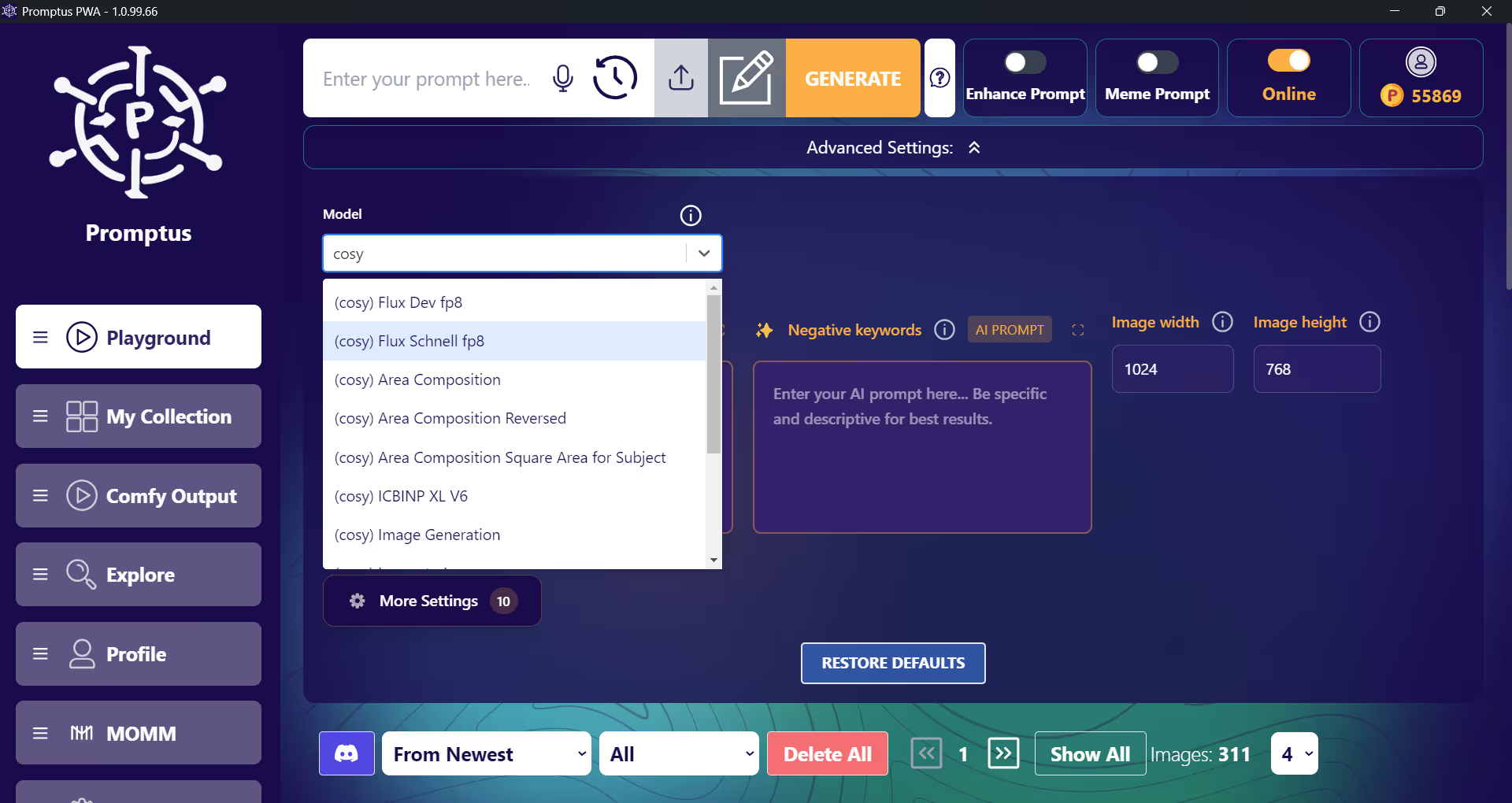
Clean, intuitive interface

CosyFlows Interface Screenshot showing clean workflow selection and prompt input

The ComfyUI struggle is real

ComfyUI is powerful, but the setup headaches hold you back from creating

😤

Manual ComfyUI Setup

  • Hours hunting for models on Hugging Face
  • Broken custom nodes and dependencies
  • Manual LoRA file installations
  • Complex security configurations
  • Canvas-style node editor confusion
  • Constant troubleshooting and updates

CosyFlows Solution

Pre-configured workflows that work instantly. All the power of ComfyUI, none of the setup pain.

  • One-click workflow launches
  • Pre-loaded models and dependencies
  • Secure, tested environment
  • Clean, simple interface
  • Windows app + web access
  • $49 one-time purchase

How CosyFlows works

Get all the creative power of ComfyUI without any of the technical complexity

1

Choose Your Workflow

Browse our library of pre-tested ComfyUI workflows including Flux Context, WAN 2.2, and hundreds more.

2

Auto-Configuration

Promptus automatically loads all models, nodes, and dependencies. No downloads, no setup required.

3

Create & Generate

Enter your prompts in clean, intuitive fields and generate professional results in seconds.

Everything you need to create

Hundreds of ready-to-run ComfyUI workflows, all pre-configured and tested

🎨

Advanced Image Generation

Professional-grade image creation workflows with the latest models and techniques.

🎬

Video & Animation

Create stunning videos and animations with motion generation and character workflows.

Flux Context Workflows

Access the latest Flux-based generation models with optimized performance.

🌊

WAN 2.2 Integration

Advanced WAN 2.2 implementations for cutting-edge AI generation capabilities.

🎭

Lipsync & Characters

Bring characters to life with lipsync, facial animation, and expression tools.

🔄

Style & Enhancement

Style transfer, upscaling, face swapping, and image enhancement workflows.

Browse all workflows

Frequently Asked Questions

You can download ComfyUI in two main ways: 1) The easiest is through Promptus.ai, which provides the best packaged version, free for subscribers or $49 one-time for lifetime use. 2) Advanced users can install manually from Comfy.org, ComfyUI.org, or the official GitHub repository.

Yes. ComfyUI can be run fully offline on your own hardware once installed. All prompts, models, and generations stay private on your computer.

Promptus is a powerful AI generation engine for open source AI models. It supports images, video, audio, and 3D outputs. You can build reusable pipelines, extend with community nodes like ControlNet, and preview results live for faster iteration.

Promptus packages the most optimized version of ComfyUI, removing setup hassles. It's free for paid subscribers, or $49 as a one-time purchase. It also includes access to Google’s Gemini 2.5 Flash Image (Nano Banana), making it the best all-in-one platform for creators.