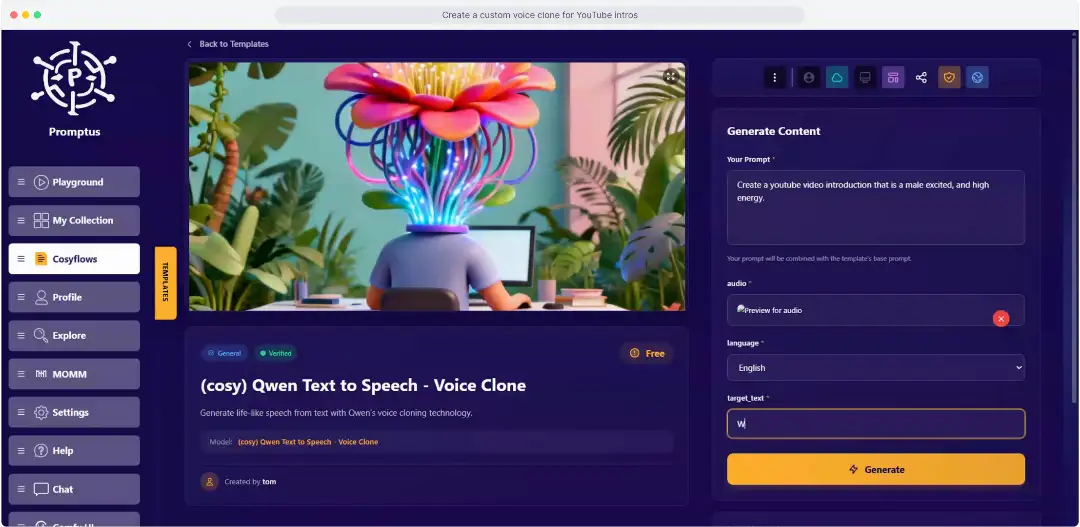
Talk or Text lets you describe your image and video idea by voice or keyboard. Promptus voice to text lets you generate AI image visuals and videos using your audio.
Accurate Interpretation
Dictate your ideas and watch them transform into visuals. Use speech or typing whichever is easier at the moment. Switch seamlessly between text and audio prompts. Get precise video results from your words, spoken or written.
Create AI visuals without touching your keyboard. Generate images and videos using either text or spoken prompts. Just tap the mic and describe the vibe. "Cyberpunk street, neon rain, cinematic lighting"—boom. The AI transcribes your voice in real-time and starts cooking. It’s hands-free, so you can keep your hands on your coffee (or your controller).
Talk or Text: Voice AI FAQs
Simply tap the microphone icon in the browser or the local app to dictate your prompt. Promptus uses Voice-to-Text technology to transform your spoken words into high-resolution images and videos instantly.
Yes, Promptus supports accurate interpretation in real-time. This allows you to generate visuals hands-free, making it perfect for quick ideation and workflows where typing might slow you down.
Absolutely. You can switch seamlessly between audio and text prompts. Many users speak their initial idea and then use the keyboard to fine-tune specific details or edit the transcribed text.
Yes, the Hands-Free Option is fully supported on both the browser and the local AI application. The local app provides lower latency and supports offline processing for your voice commands.
Promptus accepts live microphone input and pre-recorded files in formats like WAV, MP3, and AAC, giving you the flexibility to capture ideas whenever and however they come to you.
Say it, See it in Promptus
Talk or Text adapts to your workflows speak when typing slows you down. Capture ideas naturally and transform them into video. This dual input method offers hands-free creativity and quick ideation.