CosyUI

Turn ComfyUI workflows into shareable AI tools

CosyUI transforms workflows, pipelines, and scripts into CosyFlows — structured AI tools you can run locally, share with others, and scale in the cloud.

Predictable inputs • Versioned dependencies • Local + cloud execution
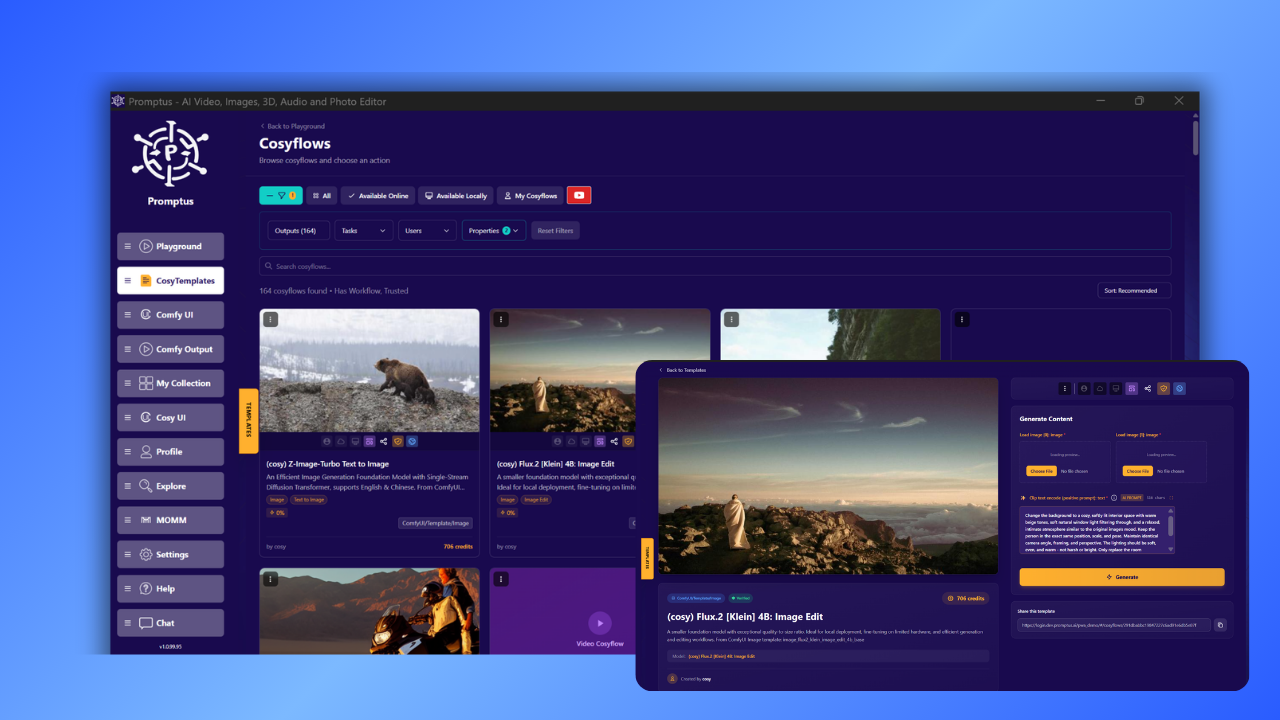
CosyFlows local interface
Why this matters

Powerful workflows often break when shared

ComfyUI is flexible, but sharing usually means broken nodes, missing models, and too much setup for the next person.

  • Models and nodes drift over time
  • Raw graphs lose context and defaults
  • Non-technical users get blocked fast
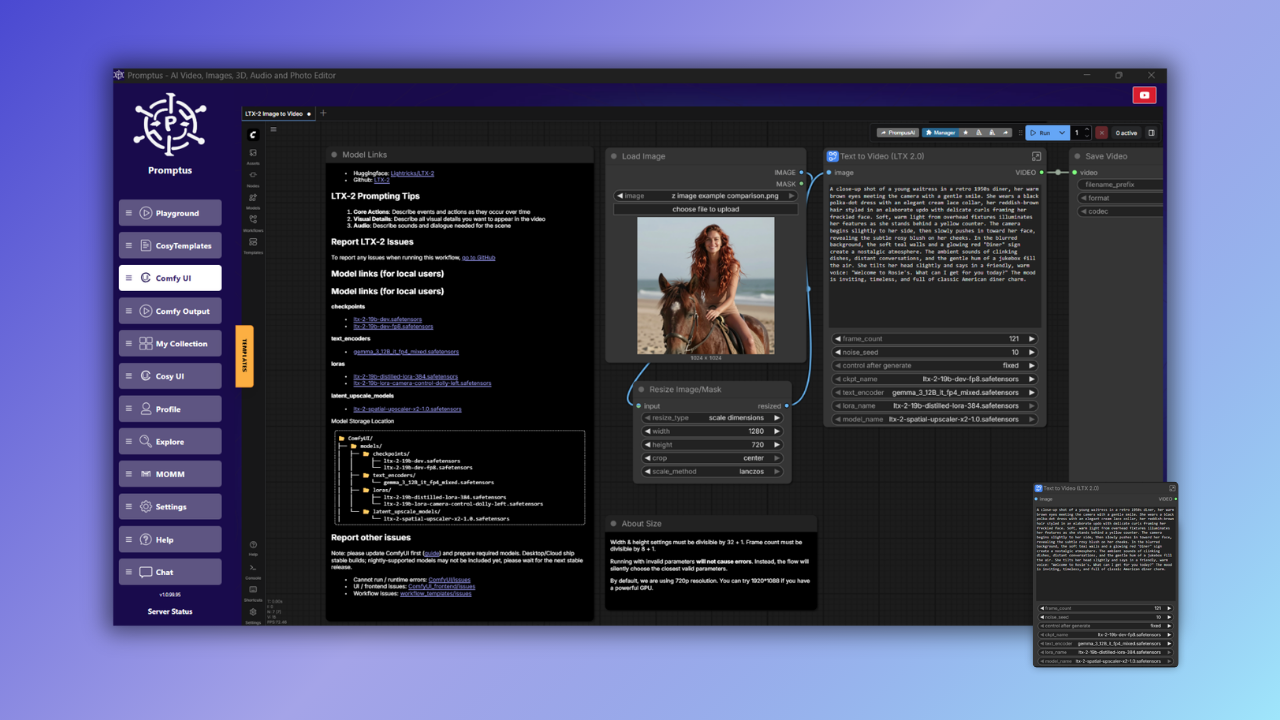
ComfyUI workflow graph
Core concept

Turn a messy workflow into a clean, reusable AI tool

CosyFlow is the packaging layer between a raw workflow graph and a tool someone else can actually run, reuse, and trust.

Before
ComfyUI workflow graph
Raw graph, hidden assumptions, manual setup, fragile sharing.
CosyFlow

Package the workflow

Capture everything needed to run it the same way every time.

Inputs
Models
Defaults
Versions
Outputs
Metadata
After
CosyFlows local interface
Structured tool, safer sharing, predictable runs, reusable by others.
Flexible to build, but difficult to hand off.
CosyFlow is the bridge.
Ready to use locally, share, or scale in the cloud.
Capabilities

Everything you need to turn workflows into product-ready AI tools

CosyUI does more than host workflows. It packages, runs, shares, discovers, and optimizes them with a polished layer built for real reuse.

Live system
Workflow execution stabilized Run
Shareable tool layer generated Share
Reusable templates indexed Discover
Compute usage optimized Control Cost
Run
Share
Discover
Control Cost
Live preview

Run with consistent inputs and outputs

Turn fragile graphs into structured runs with clear parameters, stable execution, and predictable output formats.

Execution flow
Stable by design
Inputs
Validated
Models
Pinned
Defaults
Applied
Outputs
Structured

Share tools, not fragile files

Package the workflow as a reusable interface with curated controls, shareable links, and less setup for the next person.

Discover workflows you can actually reuse

Browse curated tools instead of raw JSON, then adapt working flows to your own use case without starting from scratch.

Reusable library
PortraitCharacter builder
VideoFrame stylizer
ProductPackshot enhancer
BrandAd creative generator
PhotoUpscale + relight
SceneBackground swapper
$

Control compute without killing speed

Make execution more predictable by packaging dependencies, reducing drift, and keeping workflows aligned with known environments.

Setup time
Less rework from broken nodes, missing models, and environment mismatch.
GPU waste
Fewer failed runs and more confidence in what will execute successfully.
Reuse rate
Flows become easier to hand off, repeat, and productize.
Predictability
Versioned dependencies help keep results stable across environments.
Designed for controlled execution

CosyUI helps teams spend less time debugging infrastructure and more time running workflows that behave the way they expect.

The goal is not just to run workflows in the cloud. It’s to turn them into stable, shareable, reusable products.

Why CosyUI feels different
Run predictable execution
Share reusable interfaces
Discover working templates
Control Cost less wasted compute
Comparison

How CosyUI differs from cloud ComfyUI hosting

Cloud hosting gives you compute. CosyUI gives you reusable, shareable workflow assets.

Cloud ComfyUI Hosting

Compute-first

  • You rent GPU time
  • You manage nodes and models
  • Sharing still needs setup
  • Drift can break workflows
  • Reliability depends on configuration
FAQ

Questions people ask before trying CosyUI

The biggest questions are usually about compatibility, sharing, local vs cloud execution, and whether workflows have to be rebuilt.

Do I have to rebuild my ComfyUI workflows to use CosyUI? +

No. CosyUI is designed to package the workflows you already have into CosyFlows. You still build and iterate in ComfyUI, then turn the finished workflow into a structured tool with captured inputs, defaults, models, and dependencies.

What makes a CosyFlow different from just sharing a workflow JSON file? +

A raw workflow file is fragile. It can lose defaults, depend on missing models, or break when nodes drift. A CosyFlow packages the workflow into a reusable tool with defined inputs, structured outputs, and the execution context needed to run it more reliably.

Can someone use my workflow without understanding ComfyUI? +

Yes. That is one of the main benefits. Instead of exposing a node graph, CosyUI turns the workflow into a simpler interface with curated controls and clear outputs, so non-technical users can run it without learning the underlying graph.

Can CosyFlows run locally as well as in the cloud? +

Yes. The current page positions CosyFlows as tools that can run locally, be shared with others, and scale in the cloud. The goal is not to force a single hosting model, but to make the same workflow portable across environments.

How does CosyUI reduce failed runs and wasted compute? +

CosyUI reduces drift by capturing dependencies, stabilizing execution context, and turning workflows into predictable runs. That means less time debugging broken nodes or missing models, and more confidence that a run will behave the way you expect.