.svg)
The one-click ComfyUI installer for Windows and Mac
Promptus sets up ComfyUI with every dependency, preloads Wan 2.2, Hunyuan, LTX-2, Flux and Stable Diffusion, and runs it all on your own GPU. Pay once. No credits, no subscription.
ComfyUI is powerful. Installing it shouldn't take all weekend.
Installing ComfyUI by hand
- Python, CUDA and dependency versions to match
- Custom nodes that break after updates
- Hunting down models and putting them in the right folders
- Hours lost to error messages
- Rebuilding workflows from screenshots and JSON files
Installing with Promptus
- One installer sets up ComfyUI and every dependency
- Popular models are preloaded and ready
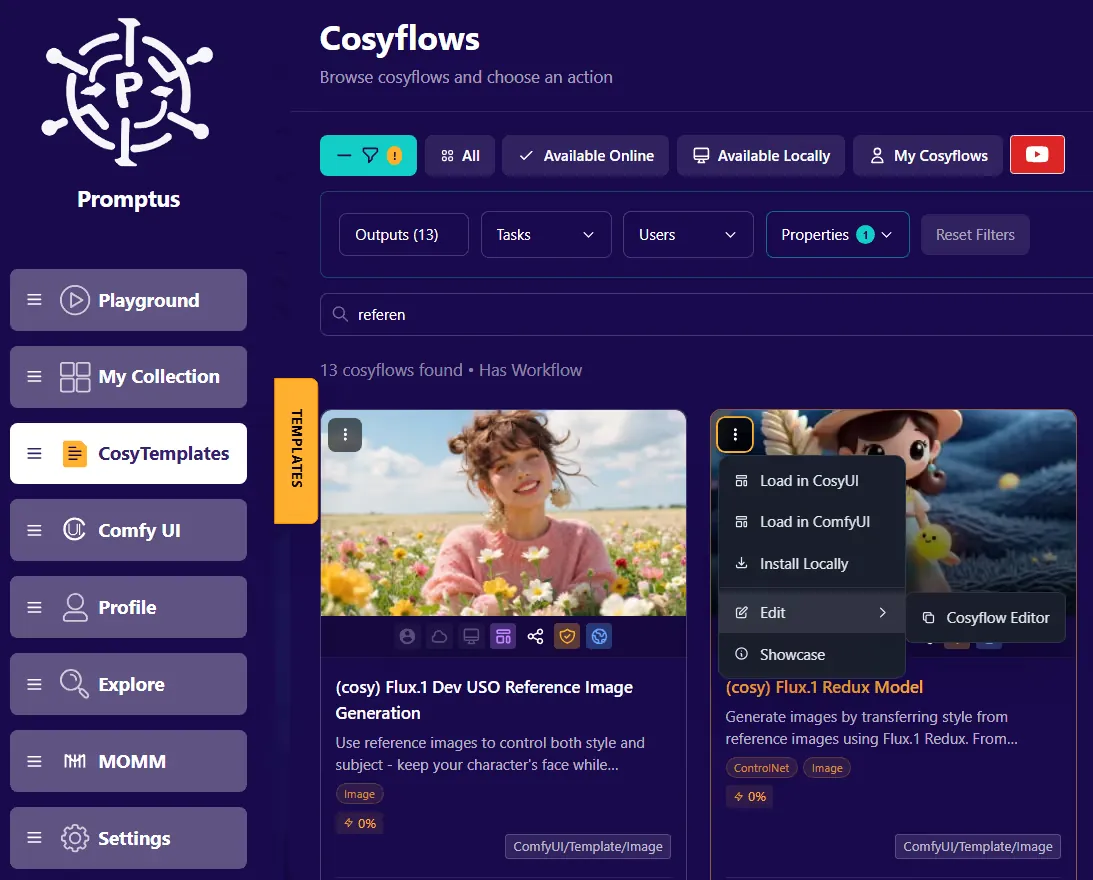
- 580 ready-to-run CosyTemplates
- Generate your first image or video in minutes
- Runs locally and offline on your own GPU
Everything you need, nothing you don't
One-click ComfyUI setup
Dependencies, requirements and environment are configured for you. No terminal, no config files.
Preloaded models
Start with Wan 2.2, Hunyuan, LTX-2, Flux and Stable Diffusion for video and images.
580 CosyTemplates
Ready-to-run workflows for video, image, 3D and audio. Run a template as-is or open it in ComfyUI to customise.
Unlimited local generation
No credits and no per-image cost. Generate as much as your GPU can handle.
Private and offline
Generate on a plane or an air-gapped machine. Your prompts and images stay on your computer.
Syncs with web and mobile
Your collection follows you to the Promptus web app and the iPhone and Android apps.
Open-source image and video models, ready on day one
Each preview below comes from the CosyTemplate for that model.

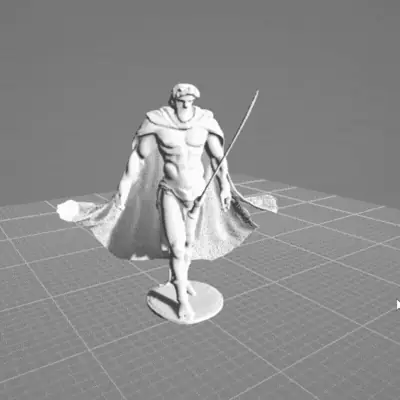


Plus Stable Diffusion, and more models you can add from the CosyTemplates library.
Will it run on my computer?
Desktop app
| Operating system | Windows or macOS |
|---|---|
| Graphics card | A GPU with at least 8GB of VRAM, such as an Nvidia RTX 3060 |
| Internet | Needed to download the app and models. Generation works offline. |
| No suitable GPU? | Use the Promptus web app or mobile apps instead. |
Simple, one-time pricing
No subscription, no credits, no per-image cost.
Promptus desktop app with ComfyUI, for Windows or Mac
- Complete ComfyUI setup with all dependencies
- Preloaded Wan 2.2, Hunyuan, LTX-2, Flux and Stable Diffusion
- 580 ready-to-run CosyTemplates
- Unlimited local generation
- Works offline, nothing uploaded
- Lifetime updates and support
30-day money-back guarantee · See the lifetime plan
From download to first render in three steps
Download Promptus
Get the installer for Windows or Mac from the download page.
Run the installer
It sets up ComfyUI, its dependencies and the preloaded models for you. No configuration needed.
Start creating
Pick a CosyTemplate, type a prompt and generate. Open any workflow in ComfyUI when you want full control.
ComfyUI installer questions
What is the Promptus ComfyUI installer?
Promptus is a desktop app for Windows and Mac that installs ComfyUI in one click. It sets up every dependency, preloads popular image and video models, and gives you 580 ready-to-run workflows, so you can generate locally without configuring anything yourself.
Does Promptus work on Mac?
Yes. The Promptus desktop app is available for both Windows and Mac. You can also use Promptus in any web browser, or on iPhone, iPad and Android.
What GPU do I need?
A graphics card with at least 8GB of VRAM, such as an Nvidia RTX 3060. If your computer doesn't have one, use the Promptus web app instead.
How much does it cost?
$49, paid once, for a lifetime license with updates and support. There is no subscription and no per-image cost for local generation. It comes with a 30-day money-back guarantee.
Does it work offline?
Yes. Once the app and models are downloaded, generation runs entirely on your computer. Nothing is uploaded.
Which models are included?
Wan 2.2, Hunyuan, LTX-2, Flux and Stable Diffusion are preloaded. You can add more through the CosyTemplates library.
Do I need to know how to use ComfyUI nodes?
No. You can run any CosyTemplate by typing a prompt. When you want more control, open the workflow in ComfyUI and edit the nodes, or build your own.
Stop fighting with setup. Start creating.
Get ComfyUI running on your Windows PC or Mac today, with the models and workflows already in place.